CobotMagic#
CobotMagic is a fixed-base dual-arm robot from AgileX Robotics. EmbodiChain’s default preset combines two 6-DOF arms with V100 parallel grippers.
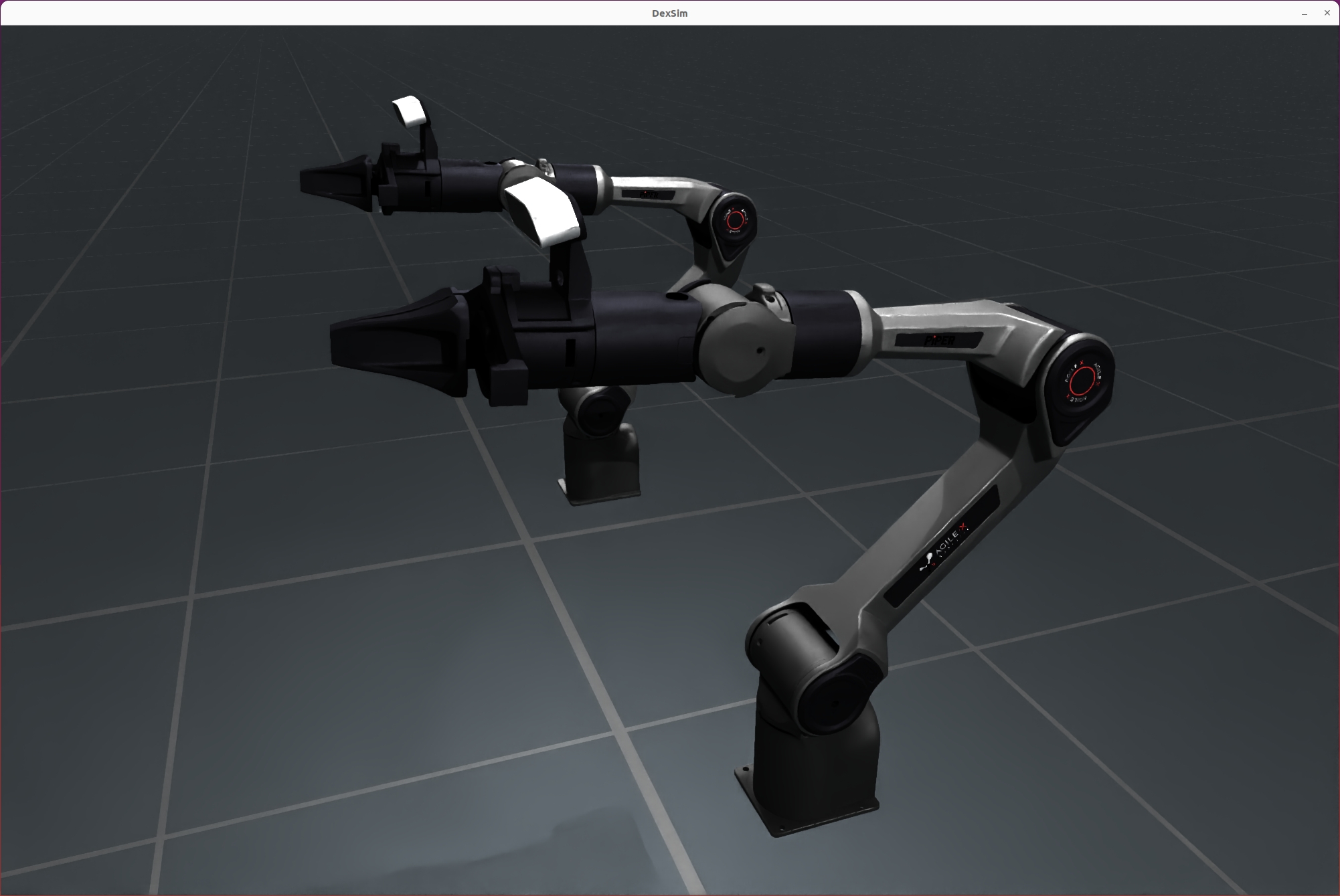
The image uses the registered CobotMagic preset, its default parallel arm
mounts and a display pose with open grippers. It is rendered with
RenderCfg(renderer="rt") (OfflineRT) and three soft area lights to reveal
the dark grippers and joint housings. The illustrated bases are at ground
level; task deployments configure their mounting height through init_pos.
Image rendering settings
1600 × 1080; 1 sample per pixel; DLSS offscreen reconstruction (quality 2); tone mapping off; exposure 1.0. The default ground and environment emission are supplemented by neutral key, fill and rim rectangular lights. Exact camera, lighting and joint settings are recorded in the render manifest.
Key Features#
Dual-arm parallel structure supporting multiple layouts (standard, face-to-face, custom)
Configurable gripper models (V70/V100) and material types (NORMAL/NEW_UV/NO_MATERIAL)
Flexible URDF assembly and simulation parameter configuration
Compatible with SimulationManager, supporting multi-arena parallel simulation
Control DOF: 14 independent joints across 16 arm/gripper joints, including two mimic followers
Customizable control groups for flexible task decomposition and extension
Robot Parameters#
Parameter |
Description |
|---|---|
Number of joints |
16 (dual arms + grippers, each gripper includes a mimic joint) |
Independent control DOF |
14 (six arm joints and one gripper command per side) |
Gripper models |
V70 / V100 |
Layout types |
NORMAL (standard) / FACE_TO_FACE / CUSTOM |
Example mounting height |
0.7775 m in the reusable CobotMagic embodiment; adjustable through |
Mobile base support |
Not supported in the current version (fixed base only) |
Note: The current version of CobotMagic does not support a mobile base. All examples and environments assume a fixed base configuration.
Quick Initialization Example#
from embodichain.lab.sim import SimulationManager, SimulationManagerCfg
from embodichain_robots import CobotMagicCfg

config = SimulationManagerCfg(headless=False, device="cpu", num_envs=2)
sim = SimulationManager(config)

robot = sim.add_robot(cfg=CobotMagicCfg().from_dict({}))

# Explicitly advance physics when the application is ready.
sim.update(step=1)
Configuration Parameters#
1. Main Configuration Items#
uid: Unique identifier for the robot, default is “CobotMagic”
urdf_cfg: URDF configuration, supports multi-component assembly (e.g., dual arms)
control_parts: Control groups for independent control of each arm and gripper
solver_cfg: Inverse kinematics solver configuration, customizable end-effector and base
joint_drive_props: Joint drive properties (stiffness, damping, max effort, etc.)
attrs: Rigid body physical attributes (mass, friction, damping, etc.)
2. Custom Usage Example#
from embodichain_robots import CobotMagicCfg

custom_cfg = {
    "init_pos": [0.0, 0.0, 1.0],  # Initial position
    # Add more custom parameters as needed
}
cfg = CobotMagicCfg.from_dict(custom_cfg)
robot = sim.add_robot(cfg=cfg)
3. Control Group Example#
control_parts = {
    "left_arm": [f"left_joint{i}" for i in range(1, 7)],
    "left_eef": ["left_joint7", "left_joint8"],
    "right_arm": [f"right_joint{i}" for i in range(1, 7)],
    "right_eef": ["right_joint7", "right_joint8"],
}
References#
Related URDF file paths (located in
CobotMagicArm/):CobotMagicWithGripperV70.urdfCobotMagicWithGripperV100.urdfCobotMagicNoGripper.urdf