Customize your first expert trajectory#
Run an existing Franka task, edit one YAML file, measure the result, and save one episode. This tutorial assumes you have completed Installation and have access to the robot assets described in Data Assets.
Validated setup: SDK source baseline a8226e14, installed as a wheel;
DexSim 0.5.1rc1, Warp 1.17.0, Python 3.11, Linux, NVIDIA RTX PRO 5000.
All runs use Default physics, seed 7, one environment and one episode.
Commands below use the current run-task entry point. See Quickstart validation record
for the physical-run baseline, command migration and validation limits.
1. Find the task and inspect its deployment#
Run these commands from your own working directory:
mkdir -p task-program-quickstart
cd task-program-quickstart
embodichain list-task --category manipulation
embodichain show-task embodichain_tasks:repeated_pick_place
Find franka: TaskProgramRepeatedPickPlace-Franka-v1 in the detailed output.
It selects a Franka Panda, envs/default.yaml for Default physics, and
task_program/program.yaml. The deployment also supports a separate Newton
environment; this walkthrough explicitly selects Default. At this baseline,
show-task displays Physics: unavailable for a deployment with a backend
mapping; that does not mean the selected environment has no physics.
The following commands use the installed package reference, so you do not
need the source checkout or the absolute install path printed by show-task.
The Franka deployment has no expansion declaration. Other deployments may
have different robots, defaults, or expansion settings; do not substitute one
without checking Task Catalog.
Choice |
Behavior |
|---|---|
|
Inspect the scene; it does not run the expert program. Recording is disabled. |
No preview/replay switch |
Execute the expert actions. |
|
Execute without saving a dataset. |
Remove that flag and supply |
Use the deployment’s configured recorder. |
|
Run without a native window. Visualization is separate from execution mode. |
See Running Tasks with run-task for display and replay options.
2. Run the original program#
embodichain run-task \
  --gym_config embodichain_tasks/configs/tasks/manipulation/repeated_pick_place/task.franka.yaml \
  --physics default --num_envs 1 --max_episodes 1 --seed 7 \
  --headless --filter_dataset_saving
The program repeats three times. Call the first target A
[-0.40, 0.48, 0.10] and the second B [-0.42, -0.08, 0.10].
Each repetition picks the cube and places it at the next cyclic target:
A → B → A. Six progress entries alternate pick_cube and place_cube.
The first run can take longer while assets, kernels, and grasp candidates are
prepared.
These are actual frames from the original program, recorded through
SimulationManager.start_window_record() at a fixed viewpoint. Headless runs
of the command above do not automatically produce these images or a video.
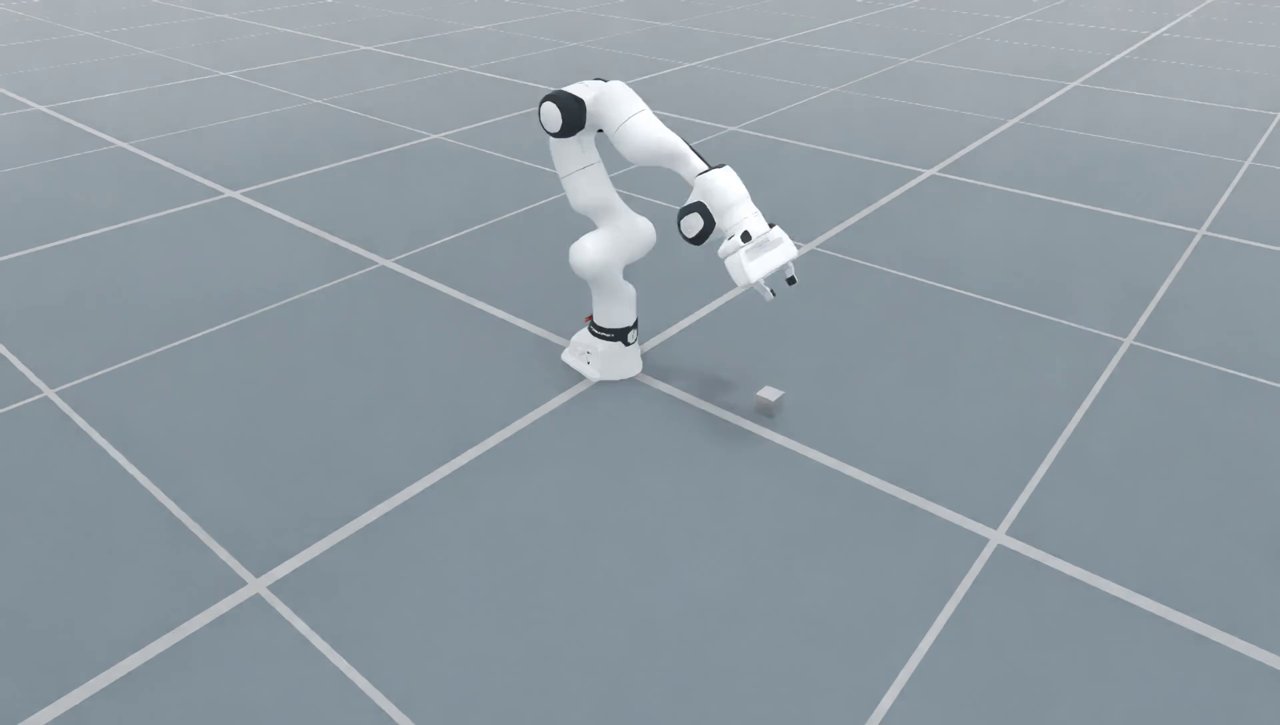
Original program, start of the first Pick (video frame 1).#
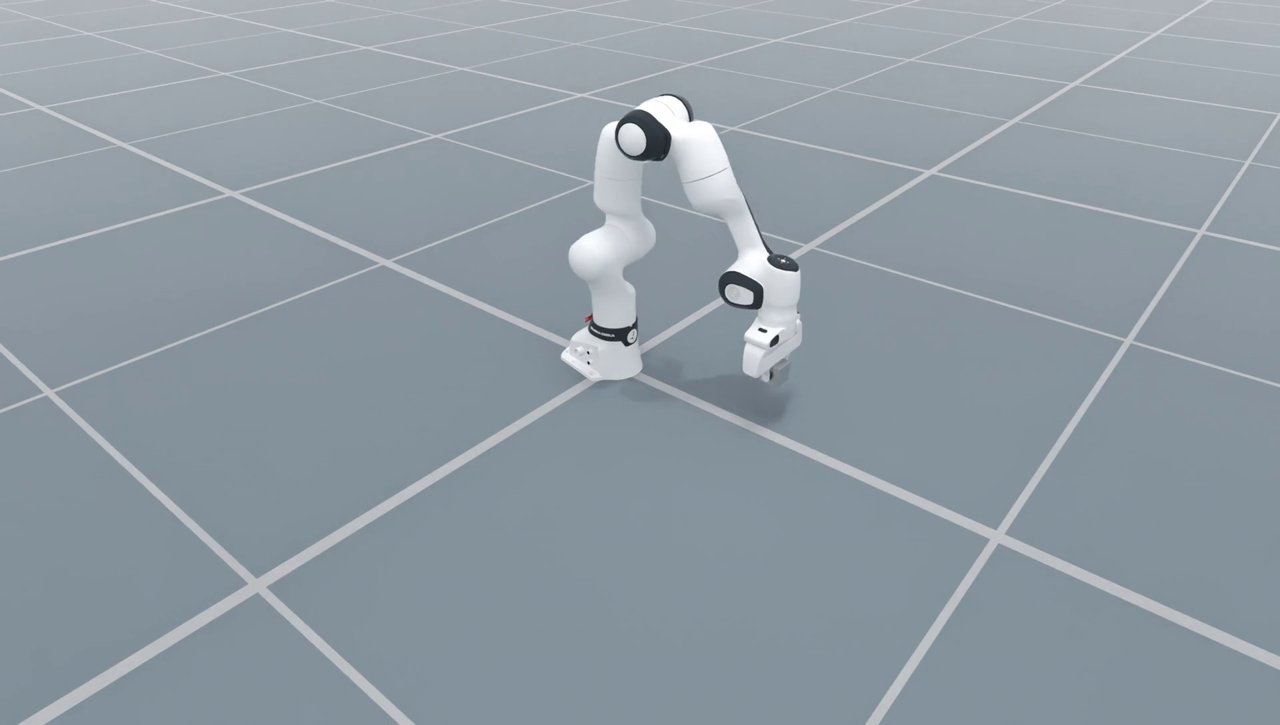
Original program, first Pick and lift (frame 31).#
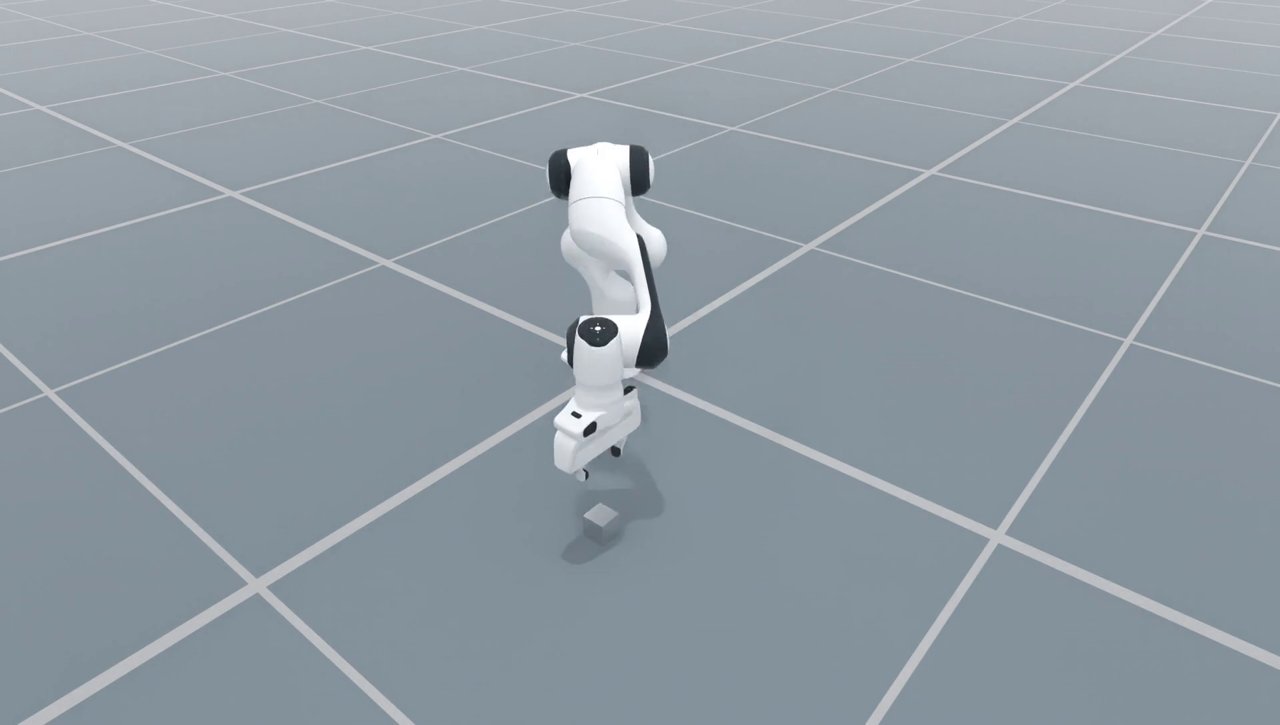
Original program, end of the third Place at A (frame 191).#
For example, the recorded progress output includes this line (terminal colors and carriage returns removed):
Steps [fixed] Ep 0 · Seg 6/6 · place_cube 100%│██████████│ 40/40 [00:00<00:00, 174.23 step/s]
Check that all six segments finish without an invalid-attempt warning. The
progress count proves command completion, not measured physical success.
This deployment uses effect_assurance: projected: it proceeds from the
expected effects of completed calls. Step 4 adds independent measured checks.
Also, the runner’s collection summary can say “episode saved” even with
--filter_dataset_saving; only recorder output and readable files establish
that data was saved.
3. Download and change the program#
Download the
original program
and save it as program.yaml in your working directory. Change:
program.countfrom3to2.The order of the two entries in
targets.drop_pose.valuesto B, then A.The root
instructiontoMove the cube to target B, then to target A.
The complete edited file is shown below. You can instead download
two_moves.yaml and save it as program.yaml.
program_id: repeated_cube_pick_place
instruction: Move the cube to target B, then to target A.
targets:
  drop_pose:
    kind: cyclic_pose
    values:
    - position: [-0.42, -0.08, 0.1]
      quaternion_xyzw: [0.0, 0.0, 0.0, 1.0]
    - position: [-0.4, 0.48, 0.1]
      quaternion_xyzw: [0.0, 0.0, 0.0, 1.0]
program:
  kind: repeat
  count: 2
  body:
    kind: sequence
    items:
    - kind: segment
      name: pick_cube
      instruction: Grasp and lift the cube.
      steps:
        kind: invoke
        call:
          kind: pick
          object: cube
    - kind: segment
      name: place_cube
      instruction: Place the cube at the next target position and release it.
      steps:
        kind: invoke
        call:
          kind: place
          object: cube
          at:
            kind: target_ref
            target: drop_pose
Run your local file with the same deployment:
embodichain run-task \
  --gym_config embodichain_tasks/configs/tasks/manipulation/repeated_pick_place/task.franka.yaml \
  --physics default --num_envs 1 --max_episodes 1 --seed 7 \
  --headless --filter_dataset_saving --task-program program.yaml
Expect four segments and target order B → A. B has the cube’s initial XY position, so the first move returns it near where it started; the second moves it across to A. It is not a requirement that every Place move to a new XY.
Keep program_id: repeated_cube_pick_place: it must match the chosen
integration. instruction describes the task and supplies language annotations;
it does not change the actions. object: cube is a semantic entity supplied by
this integration. Renaming that string does not create or rename a physical object.
4. Check stability and the resting position#
Download two_moves_checked.yaml
and replace your local program.yaml with it. This retains B → A and adds a
separate rest_pose target and checks to each Place segment:
program_id: repeated_cube_pick_place
instruction: Move the cube to target B, then to target A.
targets:
  drop_pose:
    kind: cyclic_pose
    values:
    - position: [-0.42, -0.08, 0.1]
      quaternion_xyzw: [0.0, 0.0, 0.0, 1.0]
    - position: [-0.4, 0.48, 0.1]
      quaternion_xyzw: [0.0, 0.0, 0.0, 1.0]
  rest_pose:
    kind: cyclic_pose
    values:
    - position: [-0.42, -0.08, 0.025]
      quaternion_xyzw: [0.0, 0.0, 0.0, 1.0]
    - position: [-0.4, 0.48, 0.025]
      quaternion_xyzw: [0.0, 0.0, 0.0, 1.0]
program:
  kind: repeat
  count: 2
  body:
    kind: sequence
    items:
    - kind: segment
      name: pick_cube
      instruction: Grasp and lift the cube.
      steps:
        kind: invoke
        call:
          kind: pick
          object: cube
    - kind: segment
      name: place_cube
      instruction: Place the cube at the next target, release it, and wait for it
        to settle.
      steps:
        kind: invoke
        call:
          kind: place
          object: cube
          at:
            kind: target_ref
            target: drop_pose
      post:
      - kind: wait_stable
        entity: cube
        preset: rigid_object
      validators:
      - kind: object_near_target
        object: cube
        target: rest_pose
        position_tolerance: 0.03
Run the same command from step 3. The Place progress changes from a fixed 40-step trajectory to a dynamic sequence because waiting for stability can require additional steps. A failed check invalidates the episode; the runner may retry it up to the configured attempt limit. Look for invalid-attempt warnings, not just a process exit code.
The two target families have different purposes:
Target |
Z |
Meaning |
|---|---|---|
|
|
Requested object pose for Place/release. |
|
|
Expected center of the 5 cm cube after it rests on the ground. |
Both target lists use matching XY values and order. The nearest enclosing
repeat iteration selects the same index in each list. wait_stable runs after
the motion, then object_near_target checks the cube’s 3D Euclidean position
error against 0.03 m. It does not check orientation.
The recorded checked run passed both stability and position checks:
Place |
Target center (m) |
Measured center (m), rounded |
Position error |
|---|---|---|---|
B |
|
|
|
A |
|
|
|
These are observations from one controlled run, not a guarantee for every seed
or machine. The policy remains projected; the added checks measure position
and stability, not full grasp-contact or release evidence. Do not increase the
tolerance to make a failed run appear successful. Follow Troubleshooting
and inspect the saved validation metadata in the next step.
5. Save and read one trajectory#
Keep the checked program as program.yaml. Remove --filter_dataset_saving and
choose an explicit output directory:
embodichain run-task \
  --gym_config embodichain_tasks/configs/tasks/manipulation/repeated_pick_place/task.franka.yaml \
  --physics default --num_envs 1 --max_episodes 1 --seed 7 \
  --headless --task-program program.yaml --dataset-dir "$PWD/datasets"
The recorder creates a numbered dataset subdirectory. In the recorded run it reported:
Episode 0 (env 0): 188 frames
The resulting tree includes:
datasets/robot_tabletop_repeated_pick_place_combined_000/
├── data/chunk-000/file-000.parquet
├── videos/observation.images.cam_high/chunk-000/file-000.mp4
└── meta/
    ├── info.json
    ├── stats.json
    ├── tasks.parquet
    ├── subtasks.parquet
    ├── episodes/chunk-000/file-000.parquet
    ├── embodichain_episodes.jsonl
    └── embodichain_commits/
Frame Parquet stores states/actions and language indices; tasks.parquet and
subtasks.parquet store task/segment language. embodichain_episodes.jsonl
stores completion and per-segment results, including
segments[].metadata.validation and post-policy diagnostics. The commit
records track dataset persistence. The directory suffix can change on later runs.
Use the existing reader to select the latest dataset in your output directory:
embodichain preview_lerobot_data "$PWD/datasets" \
  --latest --episode 0 --expect-segments 4
Actual output excerpts:
  Dataset : 1 episode(s), 188 total frame(s)
  Episode : 0 | 188 frame(s) | 7.52s
  Task    : Move the cube to target B, then to target A.
  Sidecar : success=True
  [PASS] Dataset structure and segment metadata are consistent.
To print the measured checks from the most recently written dataset (episode 0):
python - <<'PYTHON'
import json
from pathlib import Path

sidecar = max(
    Path('datasets').glob('*/meta/embodichain_episodes.jsonl'),
    key=lambda path: path.stat().st_mtime,
)
episode = json.loads(sidecar.read_text().splitlines()[0])
print('completed:', episode['completed'], 'success:', episode['success'])
for segment in episode['segments']:
    validation = segment['metadata']['validation']
    for validator in validation['validators']:
        result = validator['result']
        print(segment['name'], 'stable:', validation['post_policy_success_mask'],
              'error (m):', result['position_error'],
              'accepted:', result['accepted_mask'])
PYTHON
Expect completed: True success: True, two stable: [True] values, position
errors at most 0.03, and two accepted: [True] values. Reading the sidecar
does not step the simulator or repeat the measurement.
Confirm the four segment ranges and their instructions too. A successful data inspection checks file/annotation consistency; read the validation results to understand physical acceptance. Continue with Task and segment language for expert data for language consumption and Validate, split, and recover expert datasets for dataset validation and training splits. Batch expansion is a separate follow-up in Running Tasks with run-task.
6. Recognize two errors before simulation starts#
Make each mistake separately in program.yaml, run the same no-save command
from step 3, and restore the original field before trying the next one.
Unknown object: change the first Pick’s object: cube to
object: missing_cube. The actual error is:
TaskProgramValidationError: $.program.body.items[0].steps.call.object: program.body.items[0].steps.call.object: Unknown scene entity 'missing_cube'. [reference_validation_failed]
items[0] is the first segment. Restore cube; objects must come from the
integration’s semantic scene binding.
Unsupported field: add speed: 0.5 beside count under the root program
repeat node. The actual error is:
TaskProgramDecodeError: $.program.speed: Unknown field 'speed'; allowed fields are ['body', 'count', 'kind']. [unknown_field]
Remove speed. Motion settings belong to the selected execution policy;
see the timing recipe.
Both failures were reproduced during configuration loading, before environment construction or physical stepping, with exit status 1. Restoring the checked program restores the validated configuration. For other symptoms, continue to Troubleshooting.