Aloha Mini 2 Pro#
AlohaMiniCfg loads the complete AlohaMini/alohamini2pro.urdf asset without
renaming its joints or assembling separate arms.
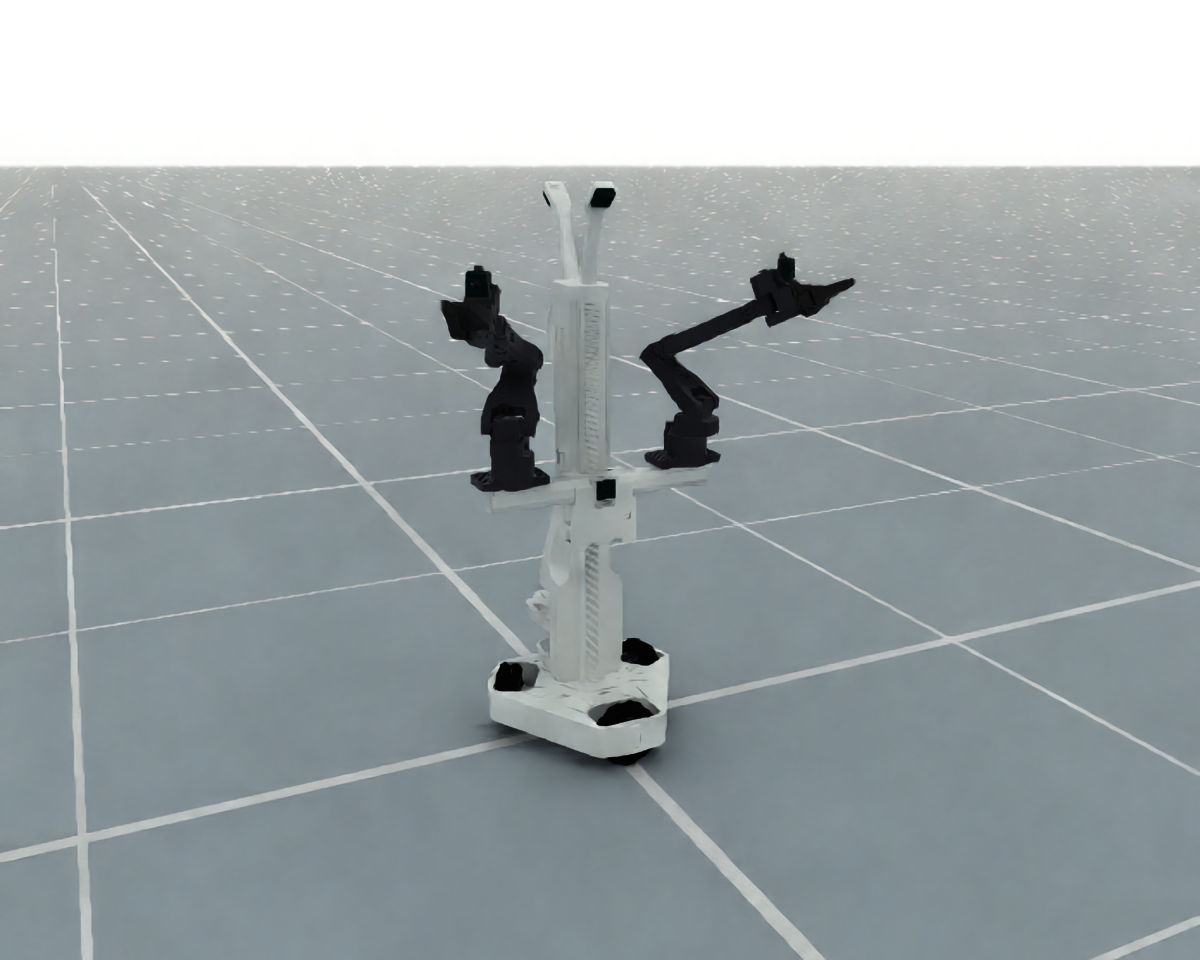
Aloha Mini 2 Pro
from embodichain.lab.sim.robots import AlohaMiniCfg

cfg = AlohaMiniCfg.from_dict({"uid": "aloha_mini"})
robot = sim.add_robot(cfg=cfg)
Control part |
DOF |
Joints / endpoint |
|---|---|---|
|
6 |
Shoulder through wrist; |
|
6 |
Shoulder through wrist; |
|
1 |
|
|
1 |
|
|
1 |
|
The arms use PytorchSolverCfg with the TCP frames authored in the asset.
The torso uses a position-only solver; the hands use joint-space commands.
The source’s three planar base joints and three wheel joints remain outside
these control parts, with position drives that hold their initial positions.
Drive gains follow the CobotMagic simulation preset and can be overridden
through joint_drive_props.
cfg.build_pk_serial_chain() returns all five parts. Each chain is local to
its part: arm poses are relative to left_Base / right_Base, hand poses to
the fixed jaws, and torso poses to base_cad_link. Arm chains do not include
torso or planar base motion. Hand chains describe moving-jaw poses, while the
arm chains describe the grasp TCPs.
Run a headless construction smoke check with:
python -m embodichain.lab.sim.robots.aloha_mini --headless --device cpu
Omit --headless for the interactive simulation window. Select the physics
backend with --physics default or --physics newton.
See the API reference.