Dual-Arm Composition#
DualArmRobotCfg builds a bimanual robot from a single-arm base config that
already follows the standard "arm" convention. In the current EmbodiChain
setup, the dual-arm examples are based on the UR family and are assembled onto a
shared synthetic base_link through URDFCfg.
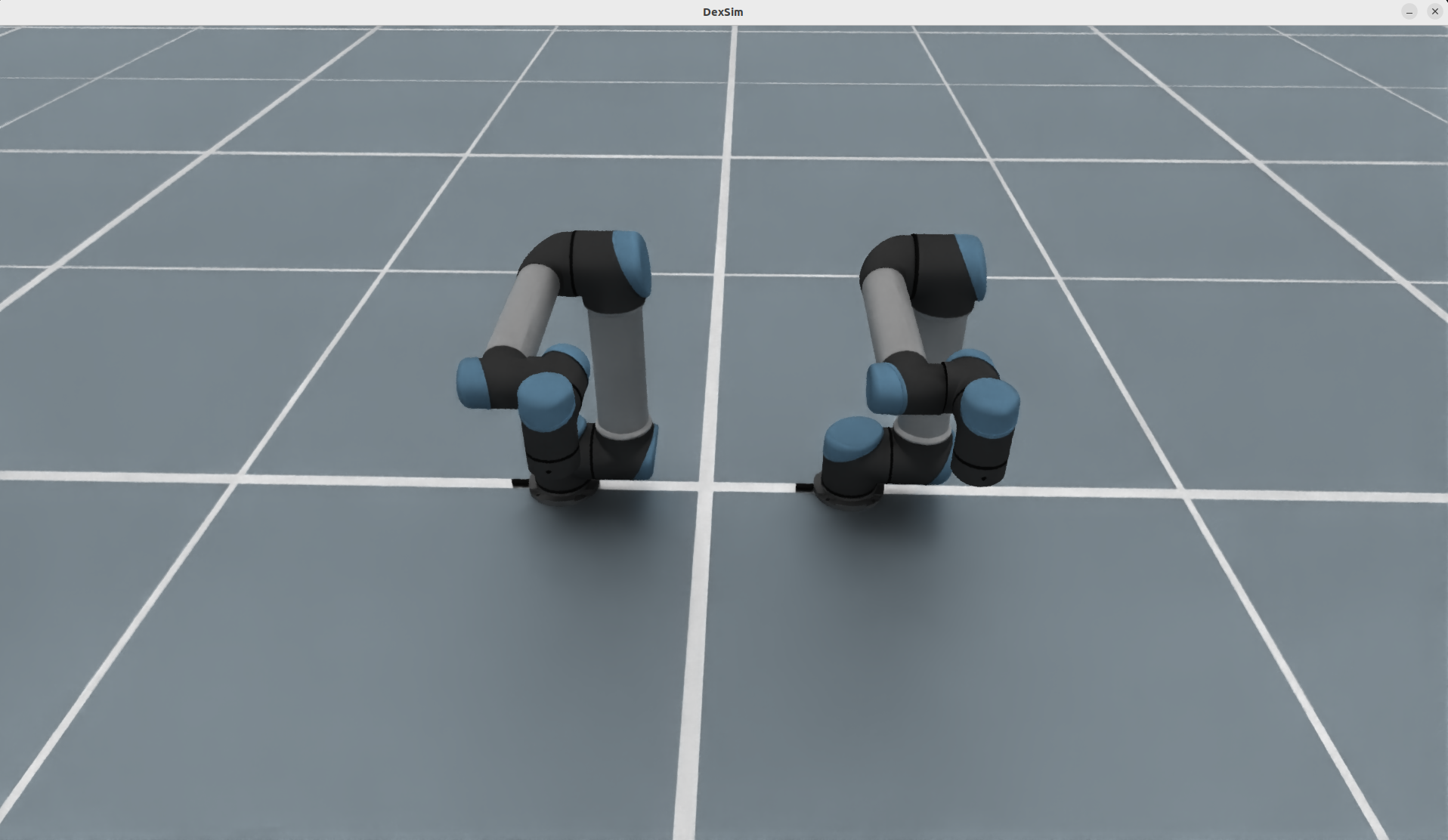
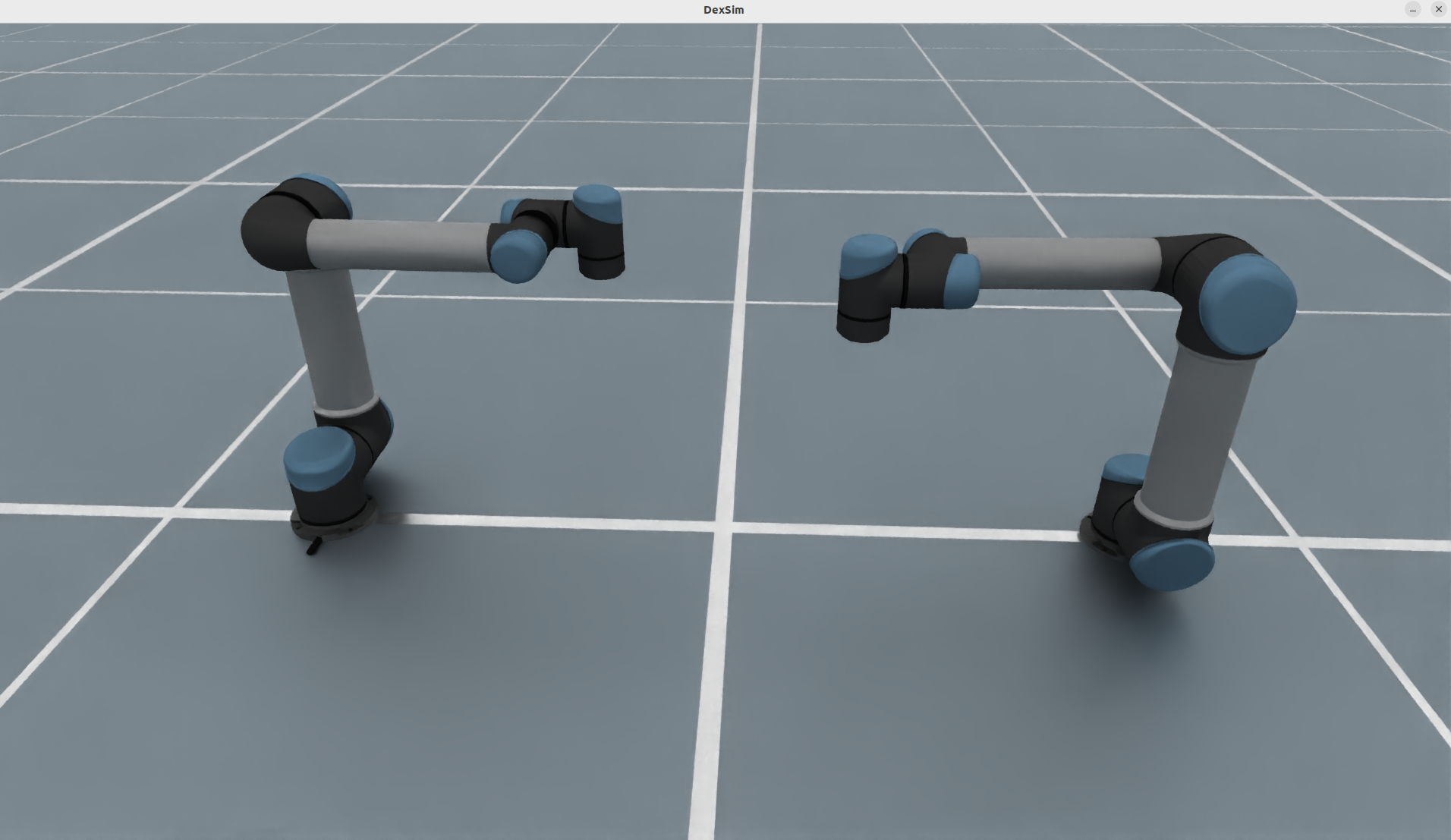
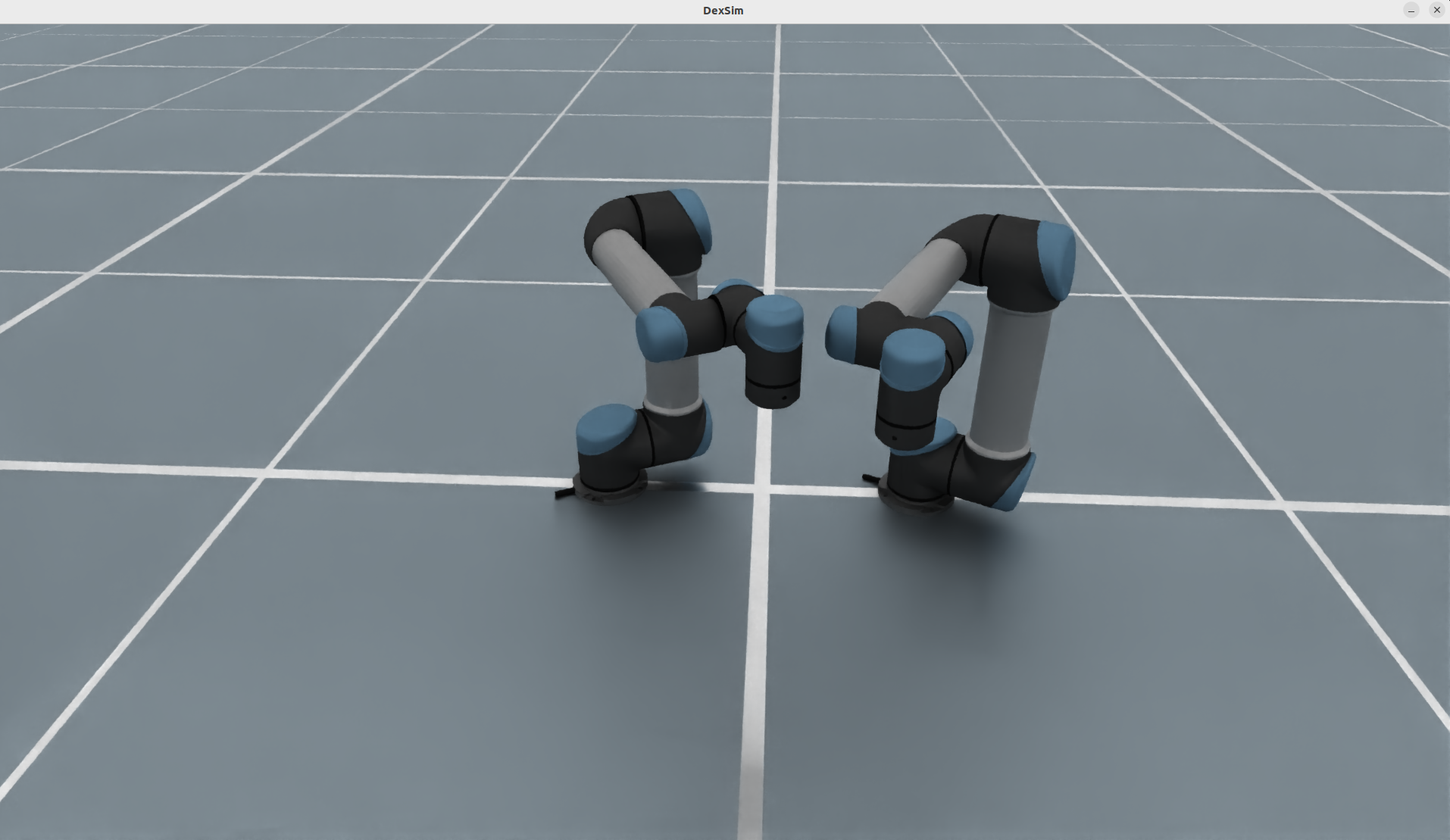
The images below show the three documented dual-arm layouts currently used for this robot family: a separated side-by-side arrangement, a wide mirrored forward-facing arrangement, and a tighter mirrored arrangement for close workspace overlap.
Key Features#
Generic dual-arm builder from any single-arm
RobotCfgthat exposes onearmURDF component, onecontrol_parts["arm"], and onesolver_cfg["arm"].Image-backed mount presets covering separated, inward-facing, and mirrored-
rzlayouts.Automatic left/right derivation for URDF components, control parts, solver configs, and drive properties.
Config-driven construction through
DualArmRobotCfg.from_dict(...)with registry-based base robot lookup.Optional composite
dual_armpart for commanding both manipulators together.Round-trip support through
to_dict()/from_dict()on the generated config.
Visual Layouts#
Side-by-side keeps both bases offset by
±separation/2along Y with the same orientation.Wide mirrored layout spreads the arms apart while rotating them symmetrically so they open away from each other.
Close mirrored layout rotates the arms symmetrically toward a shared center workspace for overlapping reach.
Usage#
from embodichain.lab.sim import SimulationManager, SimulationManagerCfg
from embodichain.lab.sim.robots import DualArmRobotCfg

sim = SimulationManager(SimulationManagerCfg(headless=True, num_envs=4))

cfg = DualArmRobotCfg.from_dict(
    {
        "base_robot": "ur5",
        "mount": {
            "preset": "mirrored_rz",
            "separation": 0.6,
            "rz": 0.7853981633974483,
        },
    }
)
robot = sim.add_robot(cfg=cfg)
Mount Presets#
Preset |
Layout |
|---|---|
|
Left arm at |
|
Same |
|
Same |
The mount configuration also supports paired per-arm overrides:
cfg = DualArmRobotCfg.from_dict(
    {
        "base_robot": "ur5",
        "mount": {
            "preset": "side_by_side",
            "separation": 0.6,
            "left": {"xyz": [0.0, 0.35, 0.0], "rpy": [0.0, 0.0, 0.0]},
            "right": {"xyz": [0.1, -0.35, 0.0], "rpy": [0.0, 0.0, 0.0]},
        },
    }
)
Configuration Parameters#
Parameter |
Description |
|---|---|
|
Registry key such as |
|
Mount dict consumed by |
|
Base robot manipulator control part name. Default: |
|
Whether to emit the concatenated |
embodichain list-robot advertises the six UR bases and FrankaPanda under
DualArmRobot. The default ur10 pair has 12 independent control DOFs. A Panda
pair has 16, including one independent gripper command per side, plus two mimic
followers. The overlapping dual_arm group counts the arm joints once.
Derived Control Parts#
For a UR5 base robot with the default preserved joint casing, DualArmRobotCfg
produces:
Part |
Joints |
|---|---|
|
|
|
|
|
concatenation of the 12 joints above |
For other base robots, the builder preserves the source URDF naming policy and
applies the left_ / right_ prefixes consistently with the assembled URDF.
Programmatic Build Path#
from embodichain_robots import URRobotCfg
from embodichain.lab.sim.robots.dual_arm import build_dual_arm_cfg, resolve_mounts

base = URRobotCfg.from_dict({"robot_type": "ur5"})
mounts = resolve_mounts({"preset": "facing_inward", "separation": 0.6})
cfg = build_dual_arm_cfg(base, mounts, dual_part=False)
Adding a New Base Robot#
A single-arm robot becomes dual-arm-ready by:
following the existing
"arm"convention in its single-arm cfg,exposing
control_parts["arm"]andsolver_cfg["arm"],registering its ID in
embodichain_robots/_catalog.pyor an installedembodichain.robotscatalog,declaring
supports_dual_arm=Truein its catalog metadata to advertise the base inlist-robot.
That keeps the dual-arm path generic: no extra mixin or robot-specific dual-arm class is required.