Robot Workspace: Red and Green Scene Initialization#
This showcase makes robot workspace checks visible in a real simulation. A UR5 with a DH PGI gripper stands at the center of a 2.4 m diameter round table. The cube first initializes at a red point: the table supports it, but the fixed downward grasp has no accepted IK solution. It then initializes at three green points, where the same Task Program picks it up and places it at a fixed goal.
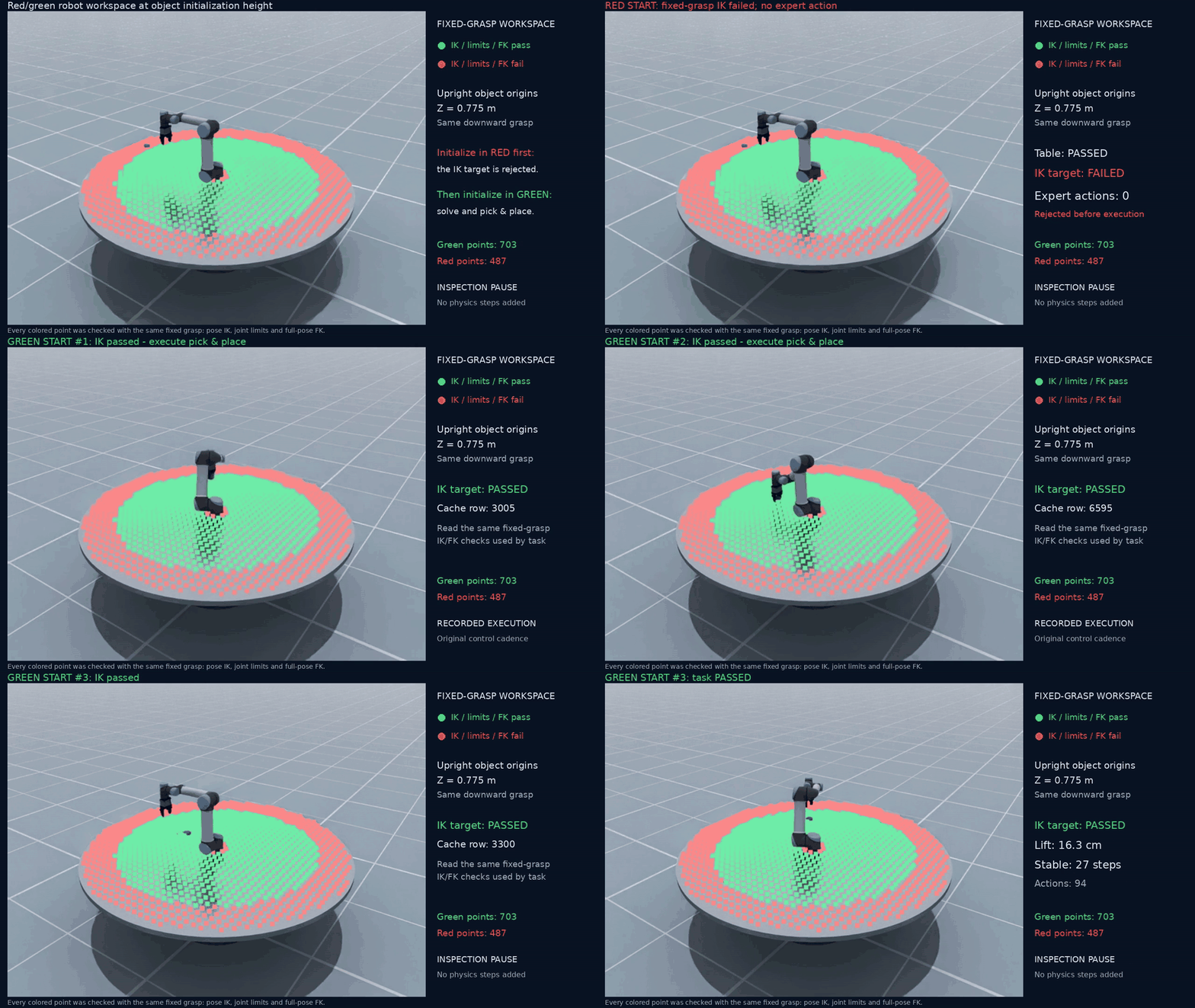
Red start: initial IK fails and no expert action is executed. Green starts: IK/FK checks pass and measured pick-and-place trials succeed.#
The looping GIF shows the complete recorded sequence at 960 x 540 and 8 fps.
Download the original 1280 x 720, 25 fps MP4
for full-resolution playback.
Before starting, it helps to be familiar with Simulating a Robot, Visualizing a Point Cloud, and Authoring a Task Program in Python.
The demo entry point and its private helpers live in
scripts/tutorials/scene/. They compose the public scene services and Task
Program integrations; the UR5 scene, acceptance rules, and video presentation
belong to this tutorial.
What the colors mean#
Each point represents the center of an upright 5 cm cube at Z = 0.775 m.
Every point is checked using the same object-local downward grasp:
Green: pose IK succeeds, its joints are finite and within current limits, and Robot FK matches both the requested TCP position and orientation.
Red: this fixed-grasp pose check fails. The red example is rejected during initial validation, before Task Program planning or expert execution.
The colors describe kinematic pose checks for this object height, orientation, and grasp. Collision-free motion and task success require their own validation; the demonstration checks success using the executed robot and measured cube state. Colors are computed point by point, independently of FK-cache density.
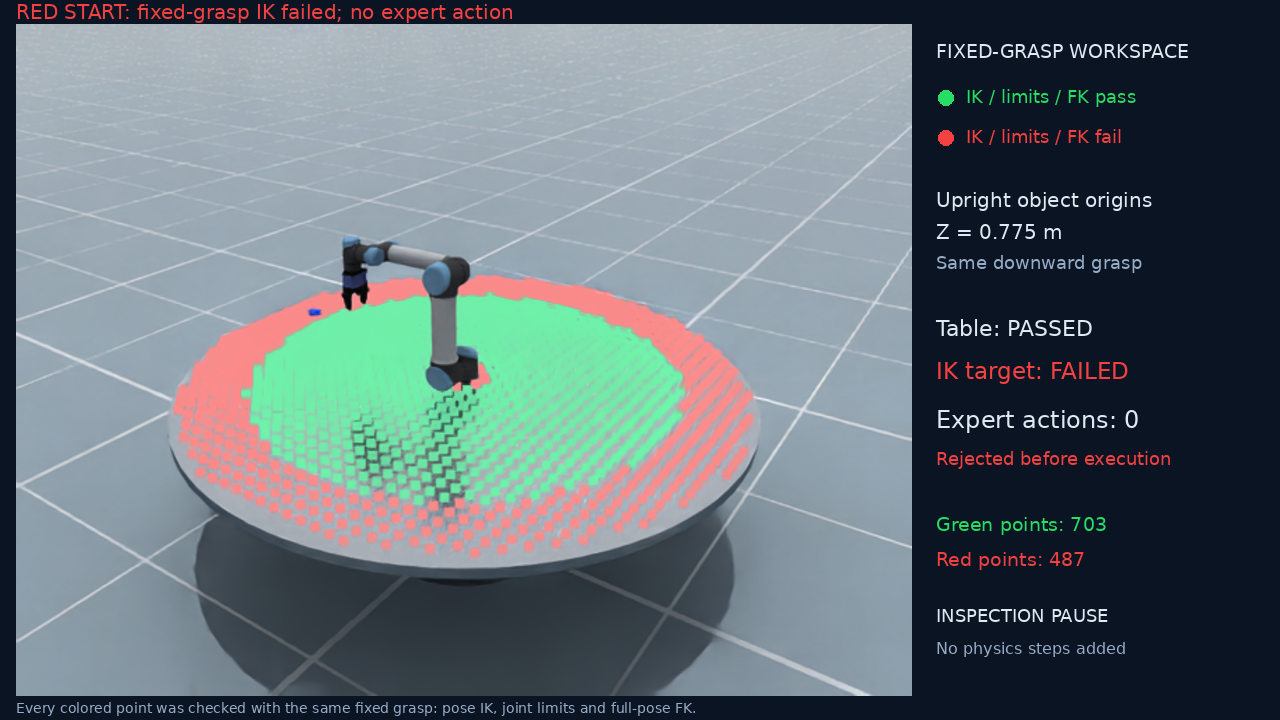
The red start is geometrically supported, but the grasp target fails IK.#
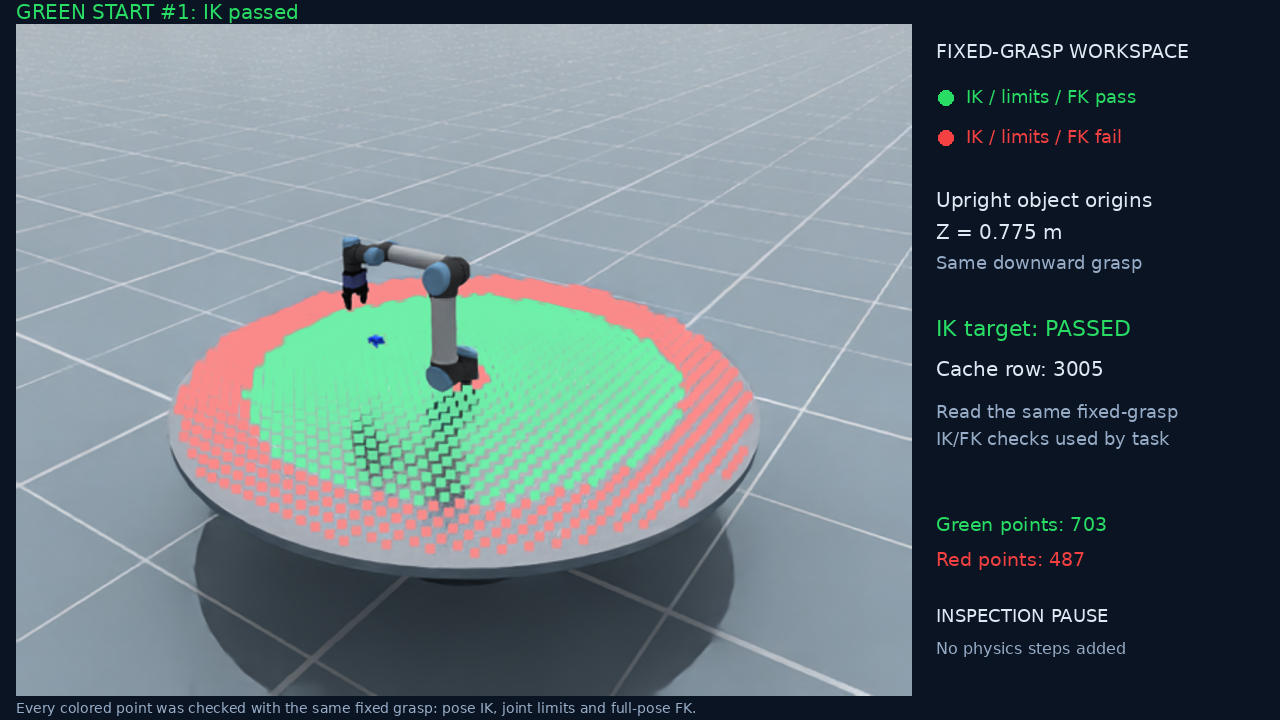
A green start before its pick-and-place trial.#
Run the showcase#
Run from a repository checkout with EmbodiChain, a working native DexSim runtime, and the UR5/DH PGI assets installed. The demo uses one environment, Default physics, and CPU physics simulation. Native windows require a working display server; offscreen rendering requires the graphics runtime.
# Independent scene services; open the printed URL while it runs.
python scripts/tutorials/scene/robot_workspace.py --mode scene --view viser --seed 7

# Task Program execution in a native window.
python scripts/tutorials/scene/robot_workspace.py --mode task --view window --seed 7

# Save camera evidence and the annotated showcase video.
python scripts/tutorials/scene/robot_workspace.py --mode task --view offscreen \
    --seed 7 --output outputs/robot-workspace

# Run checks with the renderer and camera disabled.
python scripts/tutorials/scene/robot_workspace.py --mode task --view none \
    --seed 7 --output outputs/robot-workspace-checks
scene mode uses SimulationManager and sim.scene without importing
Gym or Task Program. task mode assembles the same scene in EmbodiedEnv
and runs the existing Pick/Place calls through execute_scene_variant().
Viser and the native Hybrid renderer display the same checked red/green points;
the camera captures that point cloud directly in the simulation scene.
Measured acceptance and reference results#
A task trial must complete its program, lift the cube at least 5 cm above its
measured initial height, and leave it released within 4 cm of the goal for ten
consecutive control steps. Linear speed must stay at or below 0.03 m/s and
angular speed at or below 0.2 rad/s. The recorded cube pose in the first
trajectory frame must match the saved initial state, and restoring the scene
must pass comparison.
The included seed-7 recording produced:
Measurement |
Result |
|---|---|
Valid real-FK cache rows from 8192 requested samples |
8030 |
Tabletop pose checks |
1190: 703 green, 487 red |
Expert control steps from the red start |
0 |
Successful green-start trials |
3 out of 3 |
Measured lift |
Approximately 15.9 to 16.3 cm |
Released-goal stability |
27 consecutive control steps in each trial |
Recorded control steps per successful trial |
94 |
First recorded cube pose and scene-restoration comparisons |
Passed for all three trials |
These measurements describe the included recording. Inspect report.json for
the results of each new run, including failed stages and their reasons.
Saved evidence#
Each run writes report.json, the real workspace cache under
workspace_cache/ur5-arm/, and workspace_reachability.npz containing
checked object origins, reachability masks, RGB colors, joint seeds, and FK
residuals where available. Task mode saves accepted trajectories under
trajectories/candidate_*.pt. The red start produces no accepted trajectory.
LeRobot dataset writing is disabled by default.
Offscreen mode also writes:
preview.mp4: the 640 by 480 camera recording at the 25 Hz control cadence.workspace_explained.mp4: a 1280 by 720 presentation of that recording with explicitly labelled inspection pauses.frames/: camera keyframes, including initialization and task results.workspace_rejection.png,workspace_green_start.png, andworkspace_overview.png: presentation snapshots.
Inspection pauses are added after simulation using saved camera evidence. They do not advance physics or add expert control steps. Each accepted trajectory starts at its own confirmed green initial state.
The first implementation covers a single arm, a fixed entity set, and cube pose changes. See Runtime Workspace Sampling for runtime sampling and embodichain.lab.sim.scene for the scene API.