DexForce W1#
DexForce W1 is a mobile dual-arm humanoid with two 7-DOF arms, a 4-DOF torso and a 2-DOF head. The bare body has 20 independent control DOFs; end effectors are configured separately.
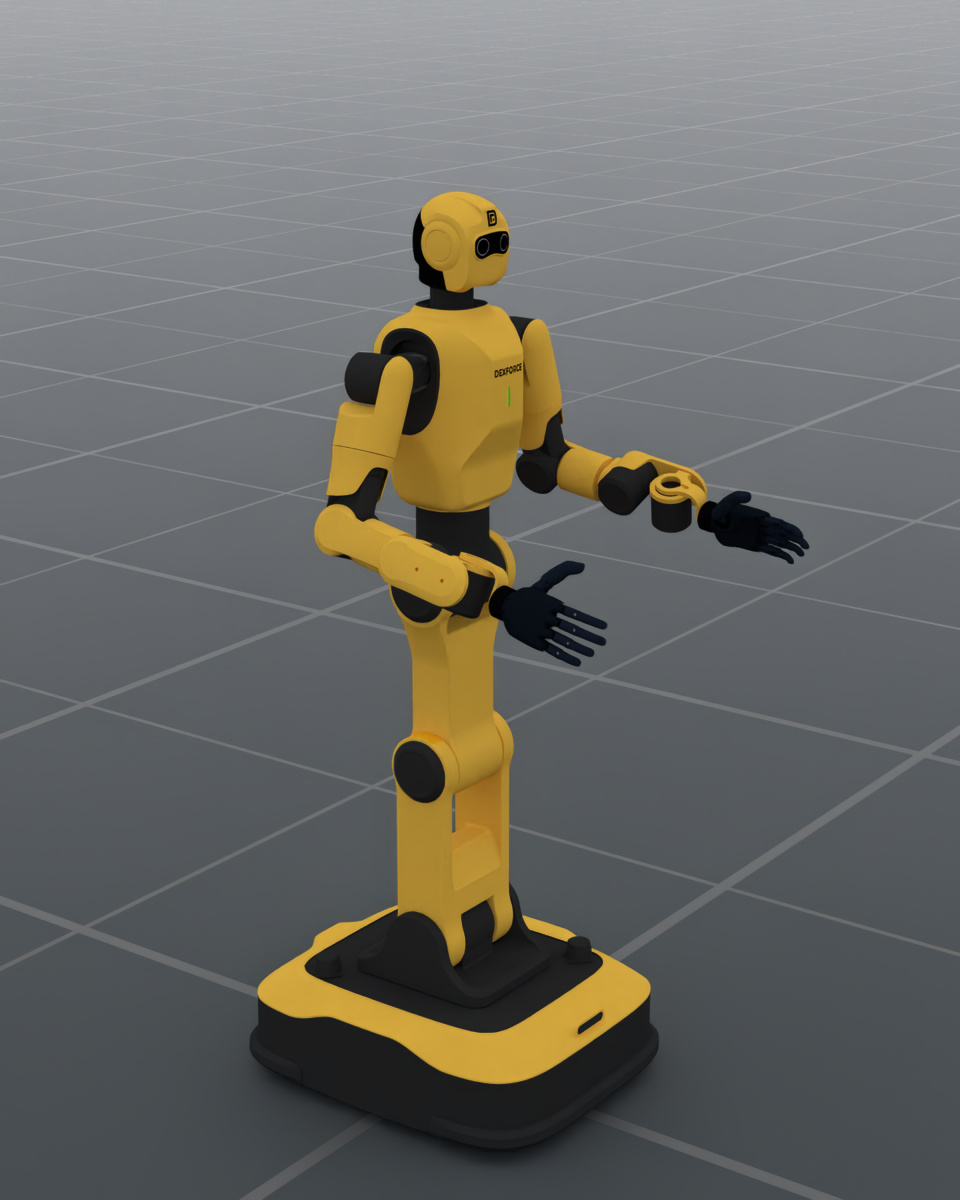
v021/BrainCo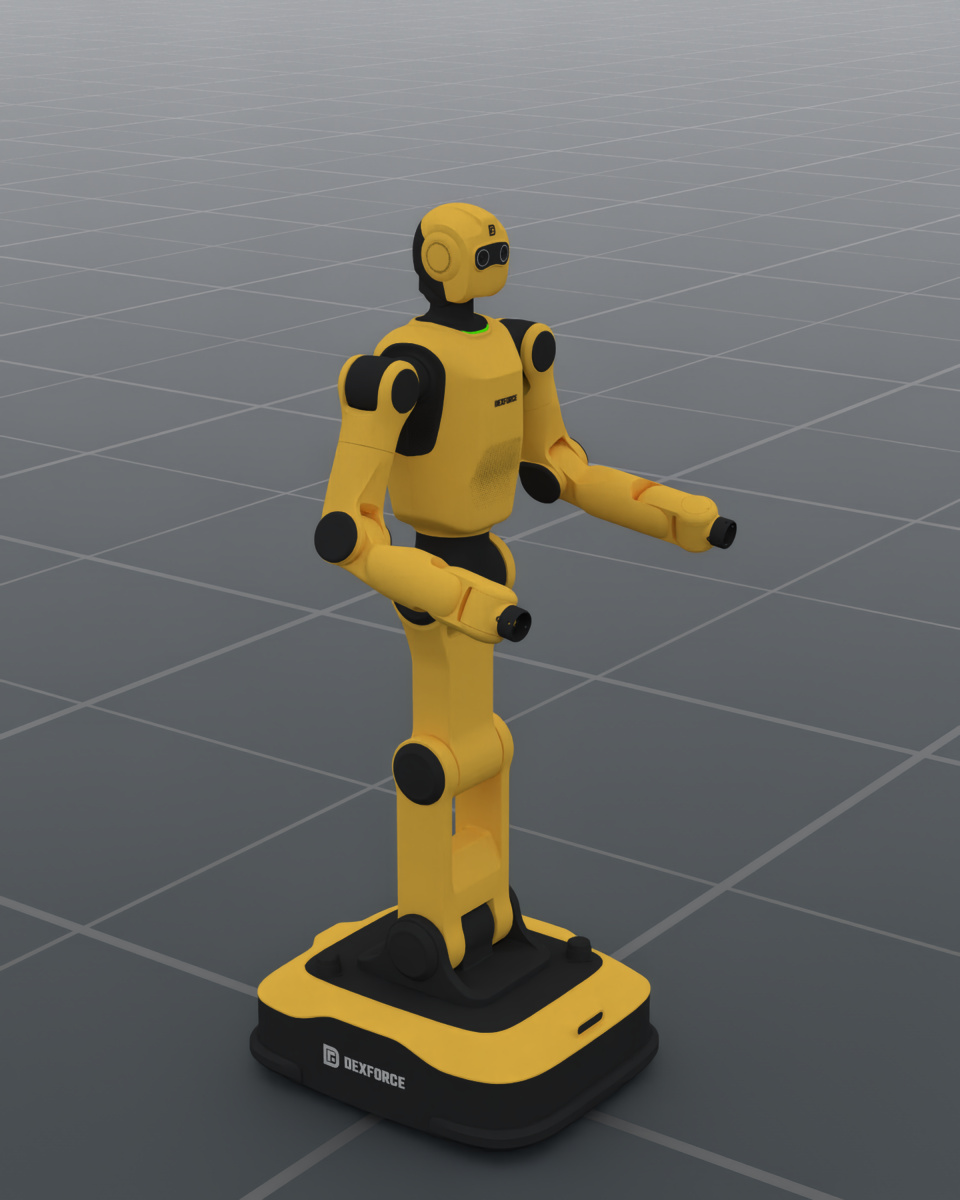
v030/bareBoth images are captured from the registered robot presets using the same
camera, bent-elbow display pose and current RenderCfg(renderer="rt")
defaults (OfflineRT), with default scene lighting.
The display pose is for illustration; it does not change the preset home pose.
V030 uses the V021 yellow (#F8C349) and dark
(#2E2E2E) plastic palette with matching roughness, retaining V030 geometry
and markings.
Image rendering settings
960 × 1200; 1 sample per pixel; DLSS offscreen reconstruction (quality 2); tone mapping off; exposure 1.0; path depths 4–8. The scene uses the default ground and environment emission, with no added direct lights. Camera settings, joint positions and the V030 asset revision are recorded in the render manifest. The manifest also records the V021 material parameters and the published archive checksums.
Supported Body Revisions#
Body revision |
Default arm solver |
Default end effectors |
Independent control DOF |
Revision differences |
|---|---|---|---|---|
|
|
BrainCo V021 hands |
32 |
Separate component datasets and eyes component; identity mounting offset |
|
|
BrainCo V021 hands |
32 |
Unified archive; eyes included in the head; provisional identity flange calibration |
|
|
BrainCo V021 hands |
32 |
Unified archive; calibrated 12 mm mounting offset along each arm’s |
|
|
None |
20 |
Standard bare body; flange TCPs; no wrist-camera mounting frames |
The default remains v021/BrainCo. A body revision selects the chassis,
torso, head and both arms together; mixed body/arm revisions are unsupported.
Hand versions are independent of body versions.
Configuration#
Select an exact catalog variant to reproduce a configuration:
from embodichain.robot_registry import resolve_robot_cfg

cfg = resolve_robot_cfg("DexforceW1", variant="v030/bare")
# sim is an existing SimulationManager.
robot = sim.add_robot(cfg=cfg)
Use DexforceW1Cfg.from_dict when customizing the end effectors:
from embodichain_robots import DexforceW1Cfg

cfg = DexforceW1Cfg.from_dict(
    {
        "version": "v025",
        "hand_types": {"left": "BRAINCO_HAND", "right": "BRAINCO_HAND"},
        "hand_versions": {"left": "v021", "right": "v021"},
    }
)
robot = sim.add_robot(cfg=cfg)
Field |
Purpose |
|---|---|
|
Body revision: |
|
Per-side brand: |
|
Per-side hand asset revision; current registrations use |
|
Install registered end effectors; defaults to |
|
Per-side hand mounting transforms |
|
Per-arm solver overrides, including tool TCPs |
Side keys accept left / right or DexforceW1ArmSide values.
DexforceW1Cfg.from_dict({"version": "v030"}) selects the standard bare body.
Optional V030 tools require their own mounting and TCP calibration.
Catalog Variants and Control DOFs#
embodichain list-robot lists 19 W1 variants: six profiles each for V021,
V022 and V025, plus v030/bare.
Profile suffix |
Body revisions |
End effectors |
Independent control DOF |
|---|---|---|---|
|
V021/V022/V025 |
Two BrainCo hands |
32 |
|
V021/V022/V025 |
Two matching DH grippers |
22 |
|
V021/V022/V025 |
Mixed DH grippers |
22 |
|
V021/V022/V025/V030 |
None |
20 |
Combine a revision and suffix, for example v022/DH_PGC_M.
Each BrainCo hand contributes six independent joints; its PIP followers are
outside the default EEF control group. Each DH gripper contributes one
independent joint and one mimic follower (1+1m). See
Robot Catalog for hand-pairing and selection details.
The bare-body control parts are torso, head, left_arm, right_arm,
dual_arm and full_body. The last two combine existing joints; full_body
excludes hands. Installed hands add left_eef and right_eef. Joint positions
use radians and revision-specific mirrored axes; preserve the selected
URDF’s coordinates and limits when transferring poses.
Solver and TCP Calibration#
V021/V022/V025 use version-owned SRS settings and legacy tool TCPs. Their
bare profiles retain those TCPs; configure an explicit flange TCP when
controlling the physical flange.
V030 uses FEP, source-URDF joint limits and identity TCPs at left_ee /
right_ee. Its left CAD wrist has a small J7 axis tilt, handled by explicit
revision tolerances; accepted solutions are checked against source-URDF FK.
Redundancy search scores joint distance and limit margin without a swivel-angle
preference (arm_angle_weight=0.0), because the outstretched home pose has no
defined GeoFIK swivel angle. These settings describe simulator kinematics;
hardware and tool calibration remain separate.
The body revision owns the mounting correction: identity for V021, provisional
identity for V022, +12 mm along each ee Z axis for V025, and identity at
the physical flange for V030. Configuration assembly applies it to both the
hand transform and solver TCP:
final_attach_xpos = version_attach_xpos @ eef_attach_xpos
final_tcp = version_attach_xpos @ solver_tcp
Supply hand transforms and TCPs relative to the standard mounting surface; do not add the V025 correction manually. This also applies to custom hand components and explicit solver overrides. Serialization removes and restores the derived offset so it is applied once.
Assets and Download Layout#
Body revision |
Dataset ID |
Full-robot asset path |
|---|---|---|
|
|
|
|
|
|
|
|
|
|
|
|
V021 assembles separate chassis, torso, head, eyes and arm datasets. Each later
revision uses one checksum-validated archive containing the full robot and
five component URDFs, with matching visual, collision and inertial definitions.
V030’s robot_with_ee.urdf is a compatibility alias of its bare robot.urdf;
detachable tools are separate assets.
V030 visual updates replace the existing archive and cache in place. To refresh
an existing assembled robot after a visual-only update, set
cfg.urdf_cfg.use_signature_check = False for one assembly so its copied meshes
are rebuilt.
Body assets, solvers and mounting offsets are registered in
embodichain_robots/dexforce/w1/specs.py; external hand assets and transforms
are registered independently in hand_specs.py.