Tianji Marvin#
Tianji Marvin is a dual-arm platform from TianJi Robotics. The EmbodiChain preset keeps the source ACD joint and link names and provides two seven-joint arm control parts with optional parallel-jaw grippers.
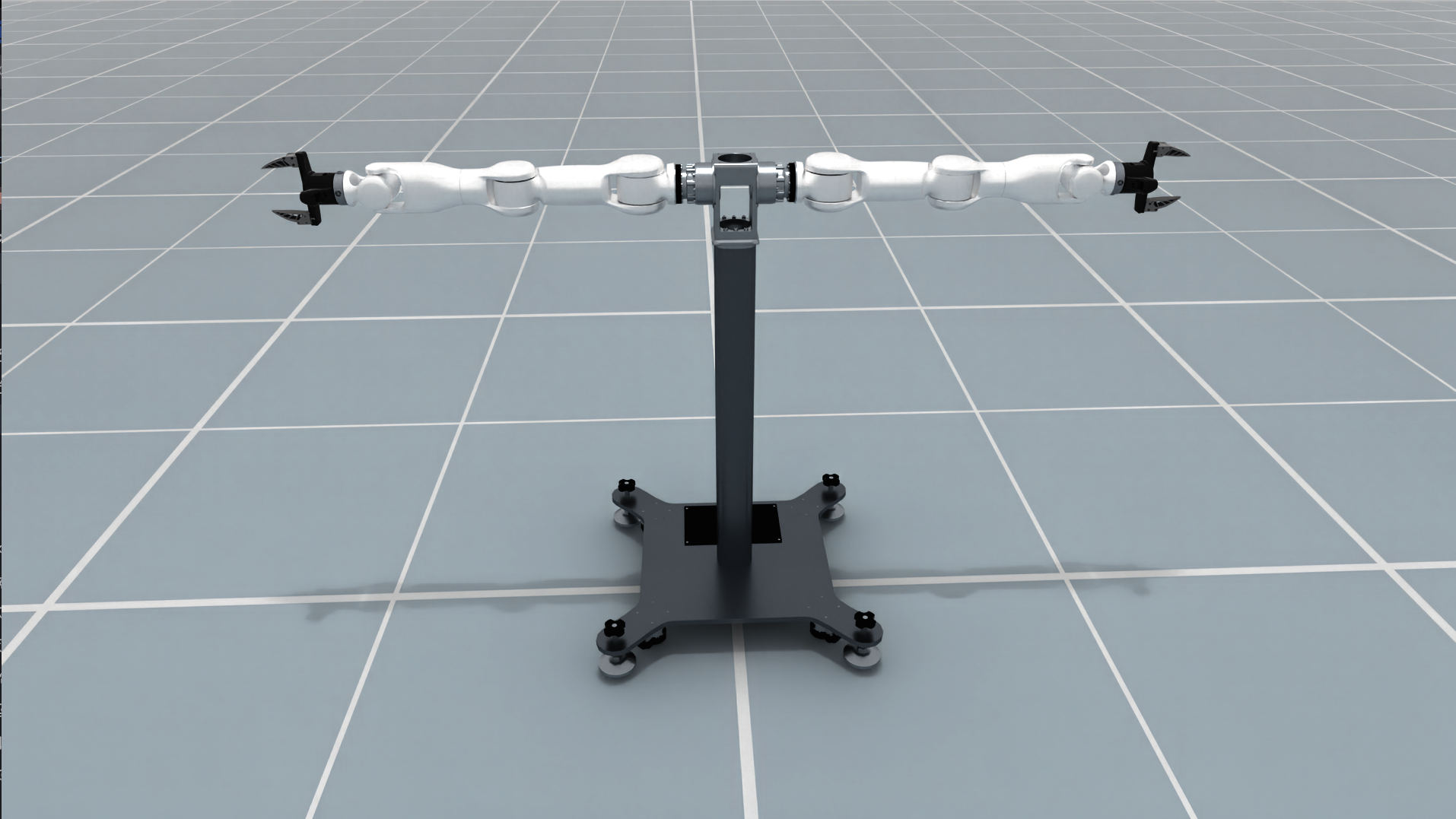
Tianji Marvin
Key Features#
Dual seven-DOF arms with separate
left_armandright_armcontrol parts.Optional parallel-jaw grippers with mimic joints, selected through
with_gripper.Source-compatible asset naming using the original ACD URDF joint and link names.
PyTorch FK/IK solvers with a documented tool-center-point transform for each arm.
Simulation-ready configuration for
SimulationManager, including fixed base properties and configurable joint drives.
Robot Parameters#
Parameter |
Description |
|---|---|
Arm DOF |
7 per arm, 14 total |
Gripper variant |
|
Gripper joints |
Two finger joints per hand; finger 2 mimics finger 1 |
Arm root links |
|
Gripper asset |
|
Arm-only asset |
|
Physics root |
Fixed base in the simulation preset |
The two variants expose the following control parts:
Setting |
Control parts |
|---|---|
|
|
|
|
Quick Initialization Example#
from embodichain.lab.sim import SimulationManager, SimulationManagerCfg
from embodichain.lab.sim.robots import TianjiMarvinCfg

config = SimulationManagerCfg(headless=False, device="cpu", num_envs=1)
sim = SimulationManager(config)

robot = sim.add_robot(
    cfg=TianjiMarvinCfg.from_dict({"with_gripper": True})
)

# Explicitly advance physics when the application is ready.
sim.update(step=1)
Use the arm-only model when the task supplies its own end effectors:
cfg = TianjiMarvinCfg.from_dict({"with_gripper": False})
robot = sim.add_robot(cfg=cfg)
Configuration Parameters#
Main Configuration Items#
with_gripper: Selects the complete gripper model or the arm-only ACD model. The field must be a boolean.fpath: Optional URDF override. The same selected URDF is used for simulation and serial-chain FK/IK construction.control_parts: Joint groups for the two arms and, when enabled, the two hands. Joint names retain the source asset naming.solver_cfg: Per-armPytorchSolverCfgentries. The default roots areleft_arm_baseandright_arm_base.joint_drive_props: Simulation drive gains. The preset uses simulation defaults and does not claim to reproduce factory motor specifications.
TCP and FK/IK#
The source end links depend on the selected variant:
|
Left source end link |
Right source end link |
|---|---|---|
|
|
|
|
|
|
Both variants apply the same end-link-to-TCP transform. The TCP origin is translated 0.13 m along the source end link’s +X axis and rotated +90 degrees about that link’s Y axis:
T_end_link_tcp = [[ 0, 0, 1, 0.13],
                  [ 0, 1, 0, 0   ],
                  [-1, 0, 0, 0   ],
                  [ 0, 0, 0, 1   ]]
Solver FK returns T_root_tcp = T_root_end_link @ T_end_link_tcp, and solver
IK expects the TCP pose relative to the arm root. Named Robot.compute_fk() and
Robot.compute_ik() use the TCP pose in the local arena frame. If an application
starts with a source end-link pose, convert it before calling IK:
T_arena_tcp = T_arena_end_link @ T_end_link_tcp
build_pk_serial_chain() returns raw seven-joint chains ending at the source
links. Its FK omits the configured TCP transform; right-multiply by
solver_cfg[part].tcp to obtain the solver TCP pose. To operate directly on
source end-link poses, override both arm TCP transforms with identity matrices:
import numpy as np
from embodichain.lab.sim.robots import TianjiMarvinCfg

cfg = TianjiMarvinCfg.from_dict(
    {
        "with_gripper": False,
        "solver_cfg": {
            "left_arm": {"tcp": np.eye(4).tolist()},
            "right_arm": {"tcp": np.eye(4).tolist()},
        },
    }
)
Preview#
Run the preview and FK/IK smoke check in the project environment:
conda run -n embodichain python -m embodichain.lab.sim.robots.tianji_marvin --headless
conda run -n embodichain python -m embodichain.lab.sim.robots.tianji_marvin --headless --no-with-gripper
Omit --headless to open the simulation window and an interactive session.