Visual materials and default presets#
EmbodiChain provides 24 public material presets through one
VisualMaterialCfg.from_preset() interface: six built-in parameter presets and
18 downloadable resource presets. A separate SoapBubbleInterior auxiliary
material supplies the inward-facing interface for the bubble preview.
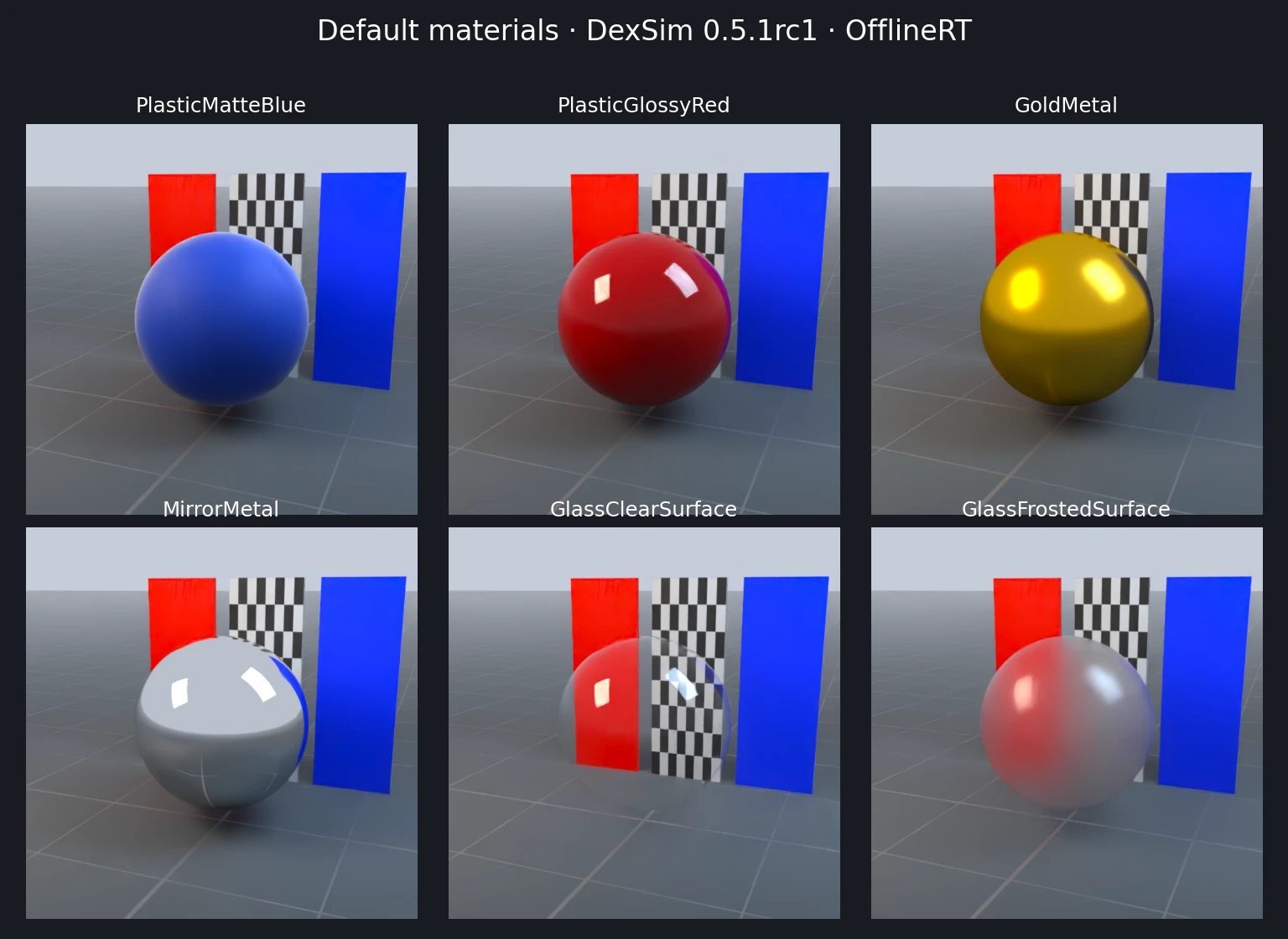
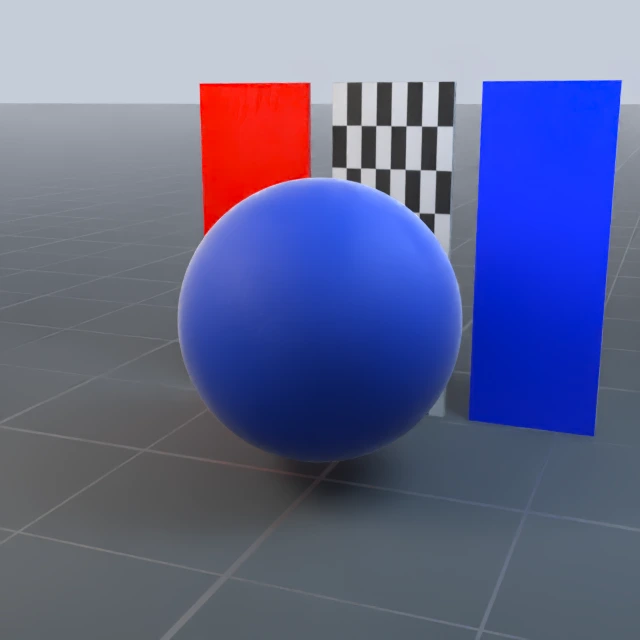
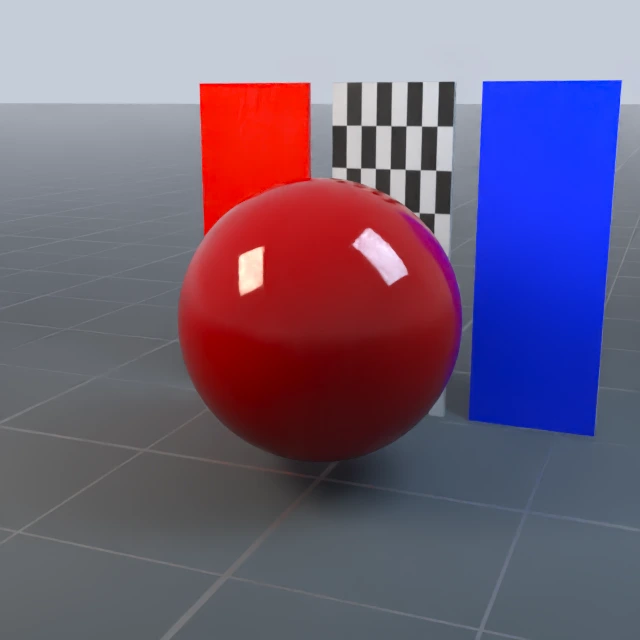
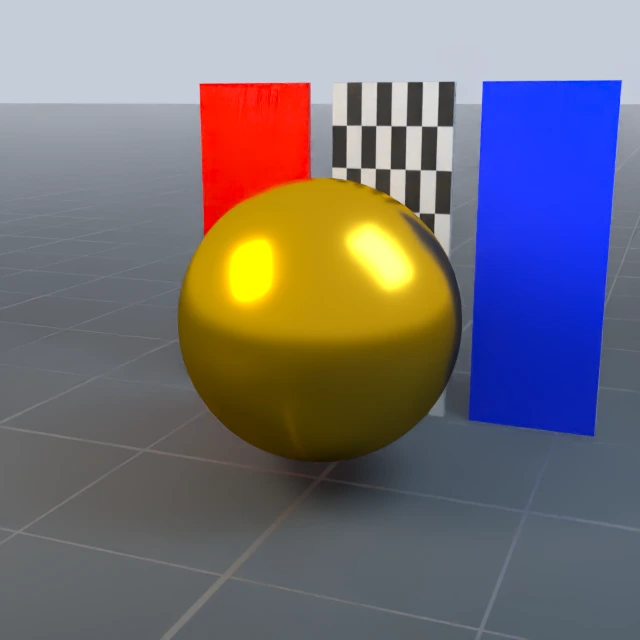
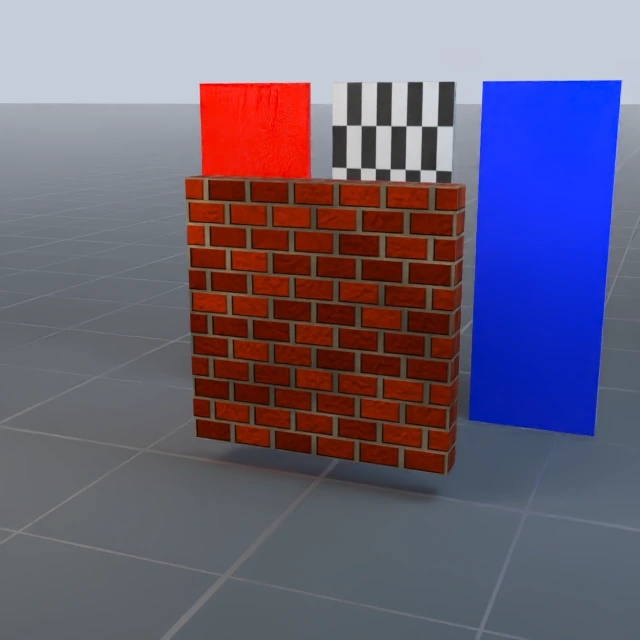
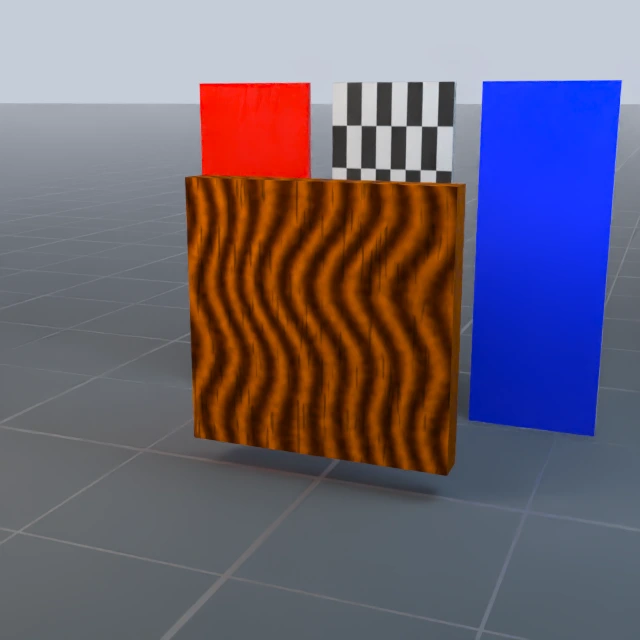
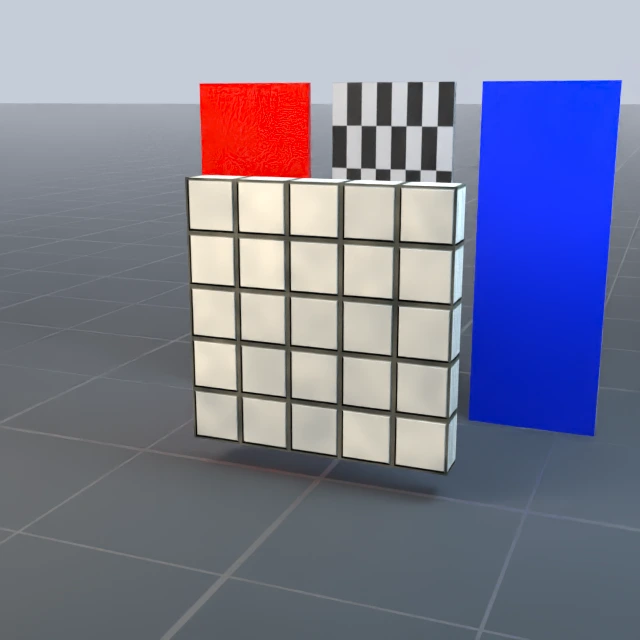
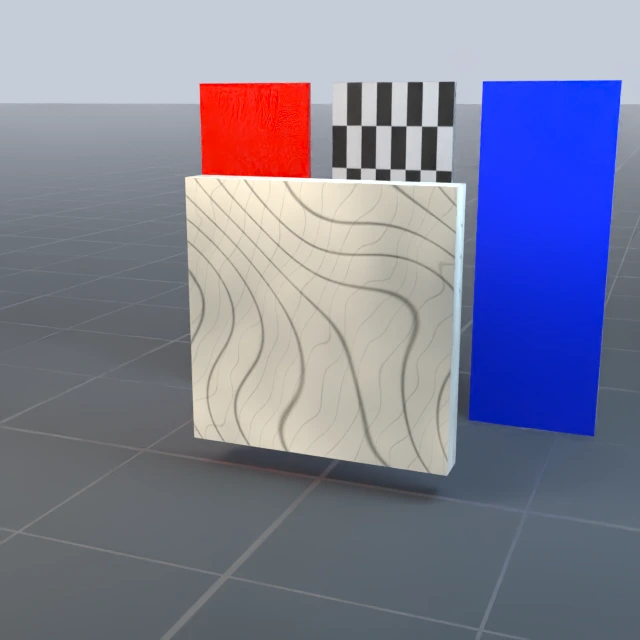
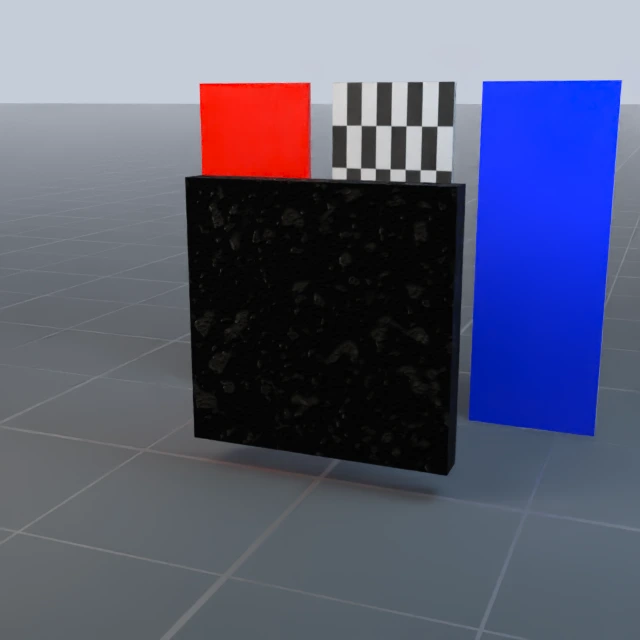
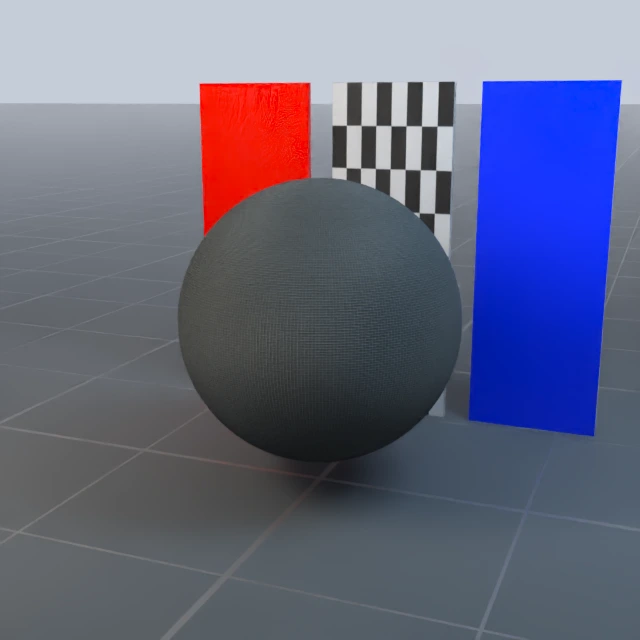
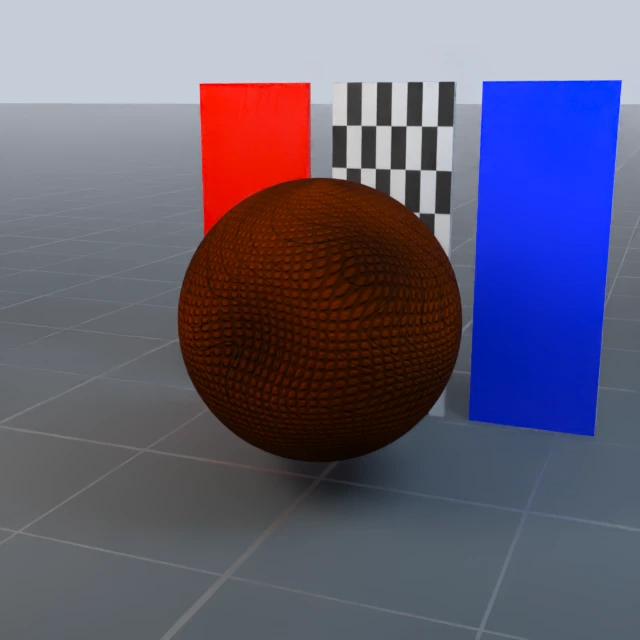
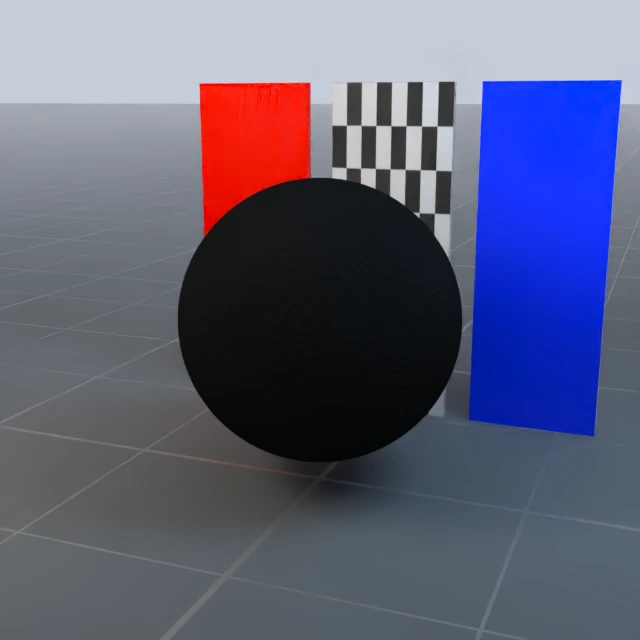
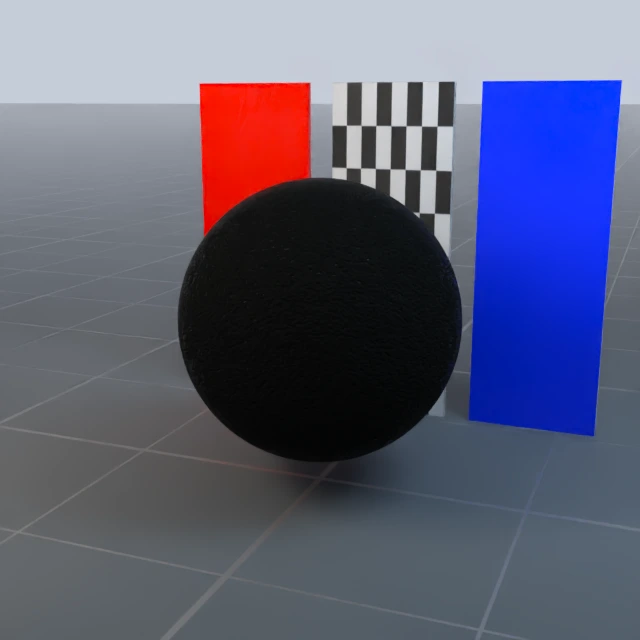
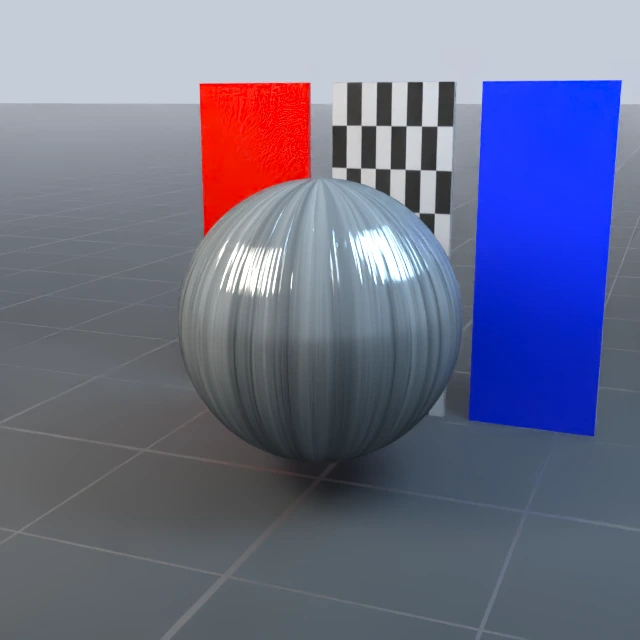
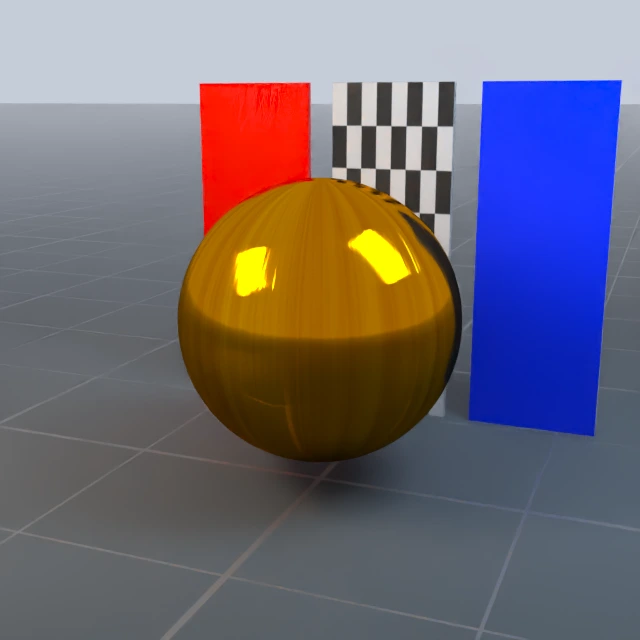
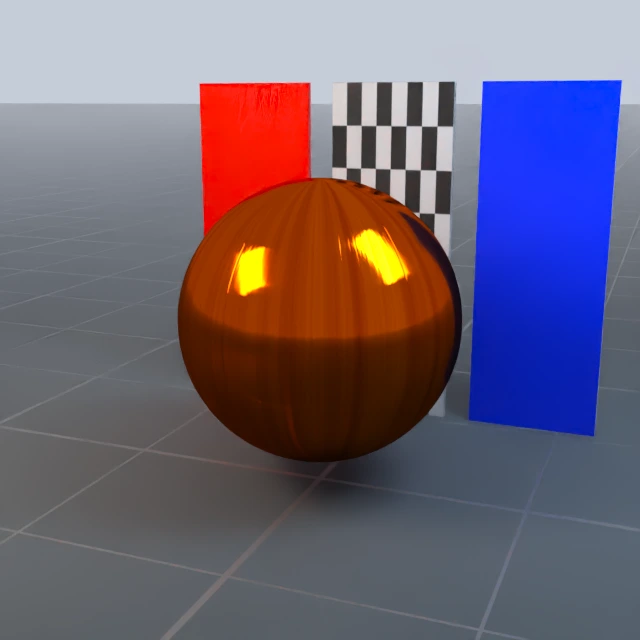
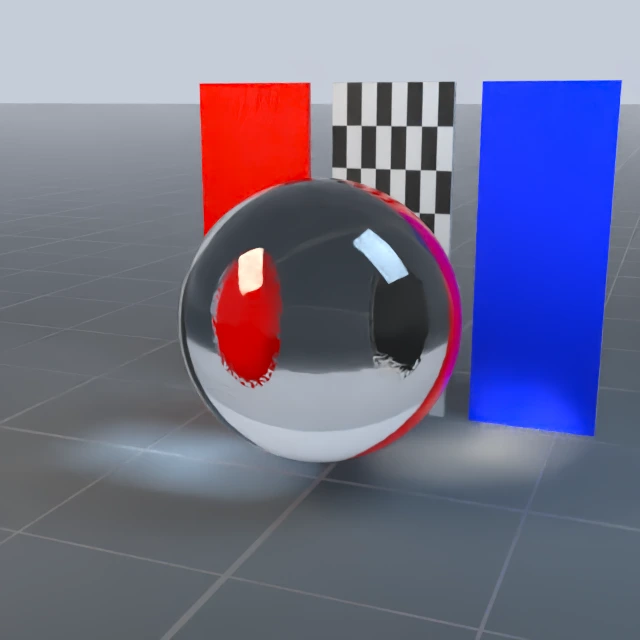
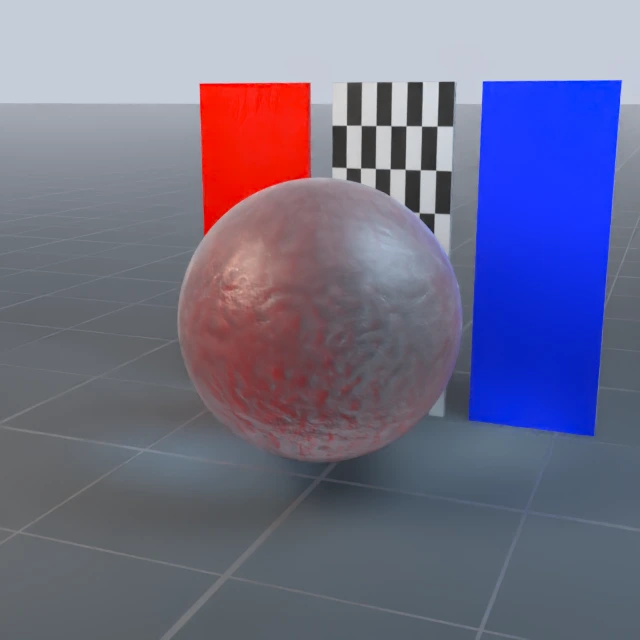
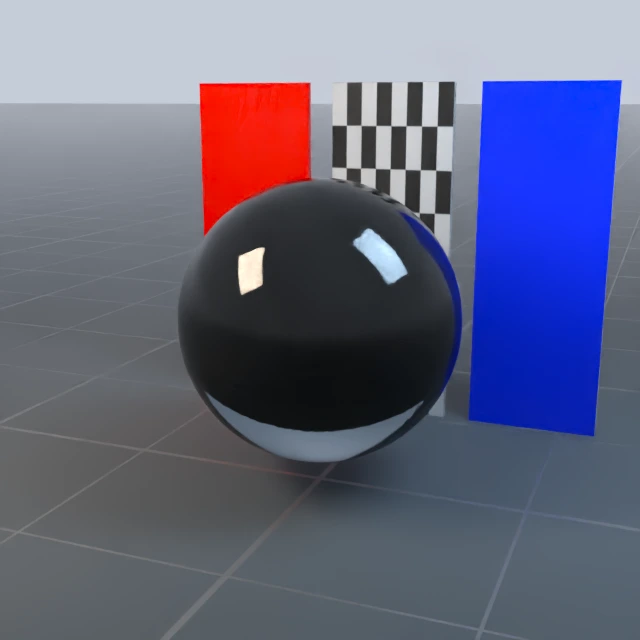
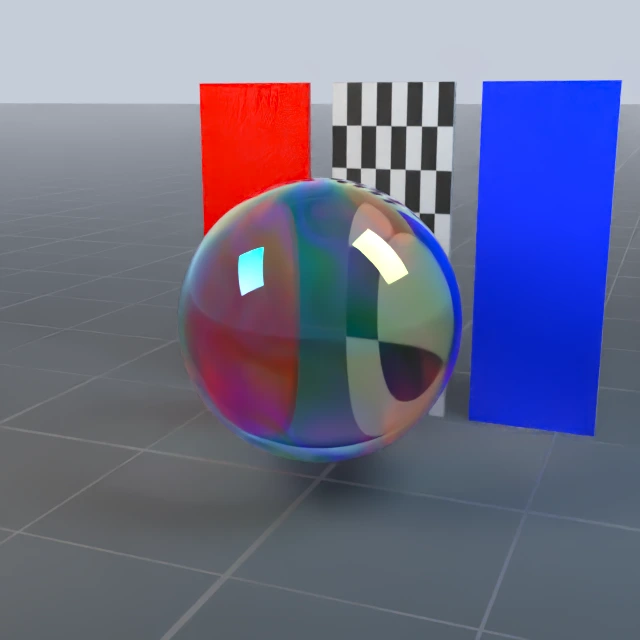
The images below are actual DexSim 0.5.1rc1 OfflineRT renders. All presets
use the same material-studio-v2 lighting recipe: linear exposure 1.6,
environment intensity 48, key light intensity 150 and fill light intensity 120.
A checkerboard and colored cards make reflection, transmission and roughness
visible. Click a material name in a table to open its individual image. See the
preview guide for reproduction settings.
Create and override a material#
Select RenderCfg(renderer="rt") for OfflineRT; see Rendering Configuration for
renderer and denoising options. With an existing simulation manager sim:
from embodichain.lab.sim import VisualMaterialCfg
from embodichain.lab.sim.shapes import SphereCfg

cfg = VisualMaterialCfg.from_preset("PlasticMatteBlue", uid="blue")
material = sim.create_visual_material(cfg)
shape = SphereCfg(radius=0.25, visual_material=cfg)

# Create another variant before binding it to geometry.
glossy_cfg = cfg.replace(uid="blue_glossy", roughness=0.08)
glossy_material = sim.create_visual_material(glossy_cfg)
Unspecified fields remain None and inherit their preset values. Explicit zero
and false values override the preset. cfg.replace(roughness=None) restores
inheritance. Common fields stay flat; advanced native parameters belong in
parameters:
glass = VisualMaterialCfg.from_preset(
    "GlassClear", ior=1.6,
    parameters={"volume_attenuation_distance": 8.0},
)
Both handwritten materials and presets select scattering through native optical
parameters. Keep variants pre-created and rebind their instances when changing
appearance. VisualMaterialCfg no longer exposes material_type.
See the material API
for UID sharing, validation, copy/replace, reset and lifecycle rules.
Migrate handwritten materials#
Opaque materials keep their usual base color, metallic, roughness, emission and IOR defaults. For transmission, specify the optical properties explicitly:
ice = VisualMaterialCfg(
    base_color=[1.0, 1.0, 1.0, 1.0],
    roughness=0.2,
    ior=1.31,
    parameters={"transmission": 1.0},
)
This transmitting configuration requires OfflineRT (renderer="rt"). Native
parameters select the reflection/transmission model before geometry is bound.
The factory no longer forces a BRDF model on handwritten defaults.
Remove material_type from Python and YAML configurations. Dictionary loading
rejects the removed key, including a serialized null, with a migration error.
Old BRDF/BTDF/BSDF labels are not automatically converted: pure transmission and
reflection-plus-transmission have different semantics. Select a glass preset
or specify transmission, IOR, roughness and any required volume/thin-wall
properties for the intended material. RT_MATERIAL_TYPES and
MAT_TYPE_MAPPING have also been removed from VisualMaterial.
Built-in parameter presets#
These six definitions are included in the wheel and do not download the
DefaultMaterials texture archive. They contain no texture maps. The simulator
initialization and its common scene resources follow their usual setup.
Preset |
Base color RGBA |
Metallic |
Roughness |
Transmission |
IOR |
Renderers |
|---|---|---|---|---|---|---|
|
0 |
0.65 |
0 |
1.5 |
Hybrid / FastRT / OfflineRT |
|
|
0 |
0.08 |
0 |
1.5 |
Hybrid / FastRT / OfflineRT |
|
|
1 |
0.22 |
0 |
1.5 |
Hybrid / FastRT / OfflineRT |
|
|
1 |
0 |
0 |
1.5 |
Hybrid / FastRT / OfflineRT |
|
|
0 |
0 |
1 |
1.5 |
OfflineRT |
|
|
0 |
0.28 |
1 |
1.5 |
OfflineRT |
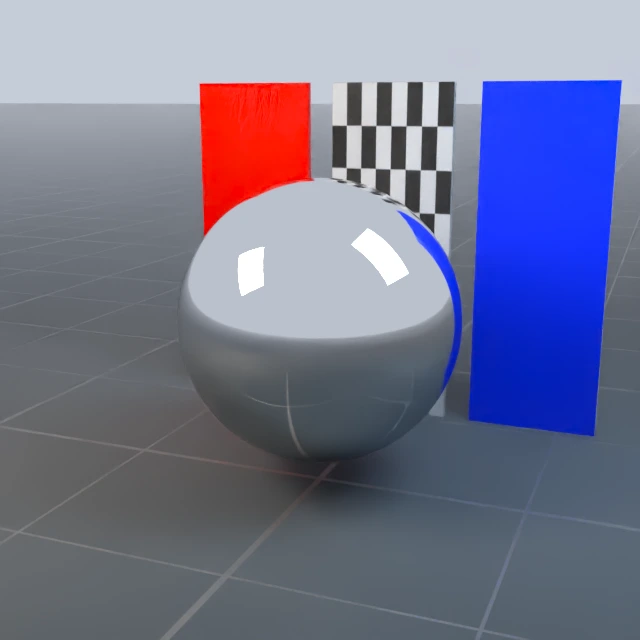
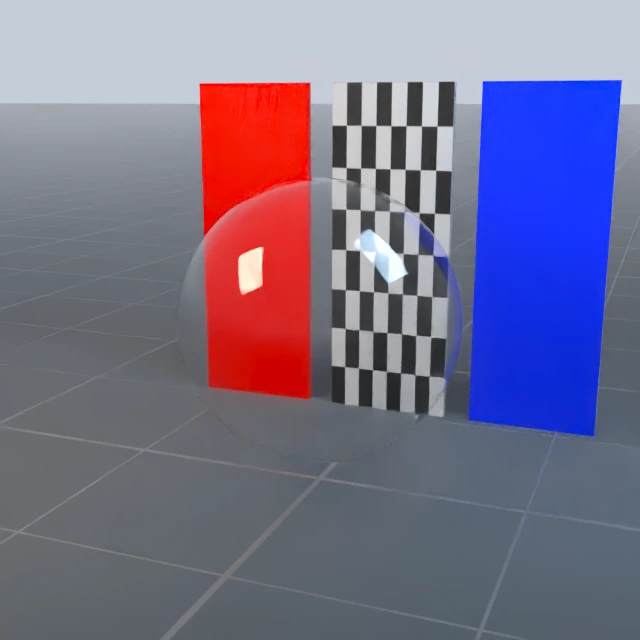
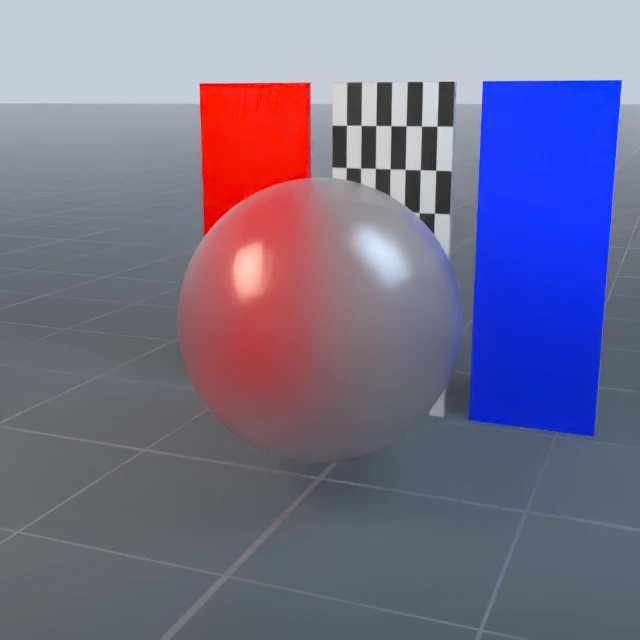
All six use emissive=[0, 0, 0] and emission_intensity=1. The two surface-glass
presets explicitly use thin_walled=true and configure no volume absorption.
Their supported factory backend is OfflineRT.
Choose GlassClearSurface or GlassFrostedSurface for simple surface transport.
Choose the resource GlassClear, GlassFrosted or GlassSmoke when a closed
object needs authored volume absorption and texture detail. These are separate
material definitions with different optical parameters.
Resource presets#
The resource collection keeps its native texture maps and material manifests.
It is downloaded lazily through DefaultMaterials, with a revision-specific
cache, archive/member integrity checks and the existing download lock.
Basic texture materials#
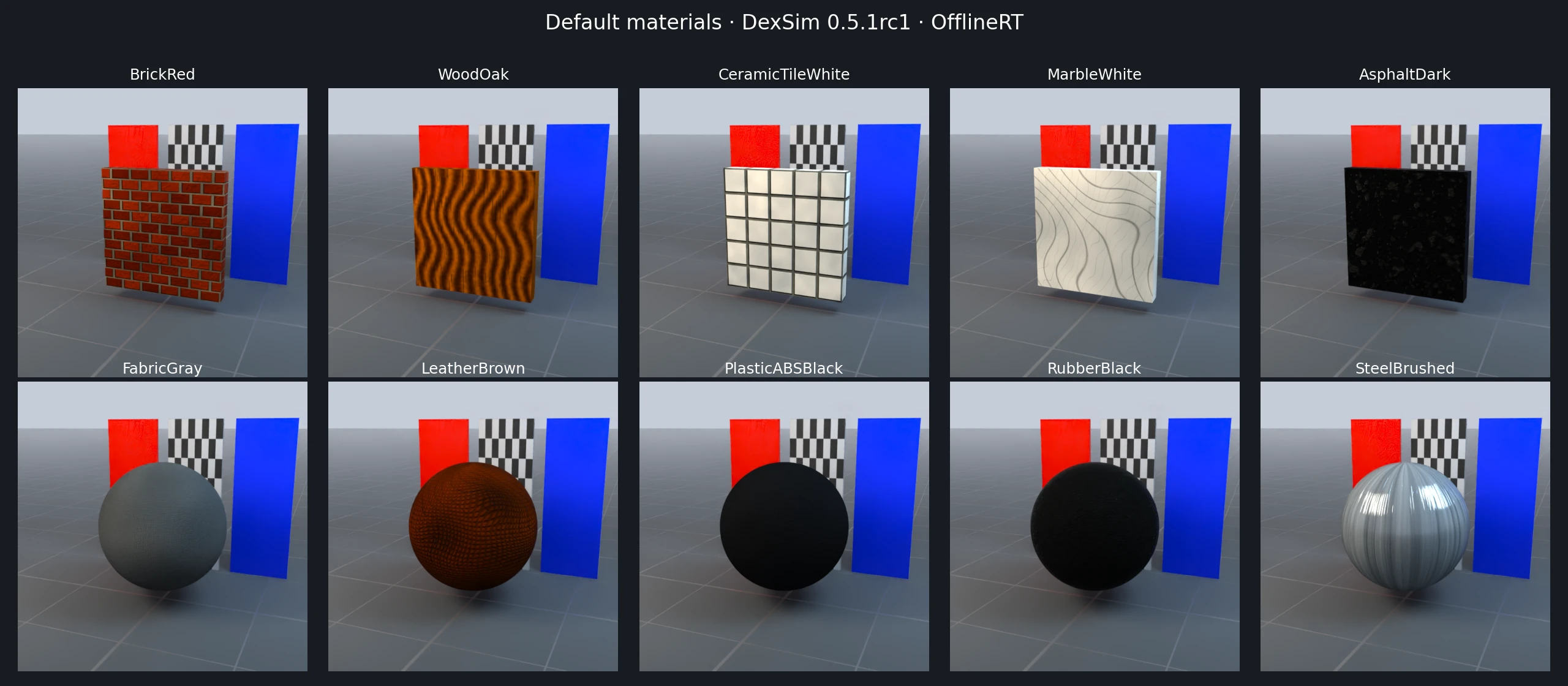
All ten support Hybrid, FastRT and OfflineRT. Each uses 1024×1024 color, roughness, metallic, ambient-occlusion and OpenGL normal maps. Their legacy directories declare no scalar material manifest, so those fields retain the native DexSim defaults. The factory does not substitute handwritten-config defaults. Suggested dimensions describe a texture repeat; they do not resize geometry or change UVs.
Preset |
Appearance |
Suggested texture dimensions, m |
|---|---|---|
Red fired brick with gray mortar |
1.2 × 0.84 |
|
Warm oak wood grain |
0.8 × 0.8 |
|
White glazed ceramic tiles with gray grout |
1 × 1 |
|
Polished white marble with gray veins |
1.5 × 1.5 |
|
Dark asphalt with fine aggregate |
2 × 2 |
|
Fine woven gray fabric |
0.25 × 0.25 |
|
Brown grained leather |
0.35 × 0.35 |
|
Black ABS plastic with a subtle orange-peel finish |
0.25 × 0.25 |
|
Rough black rubber |
0.25 × 0.25 |
|
Directional brushed steel |
0.5 × 0.5 |
Advanced resource materials#
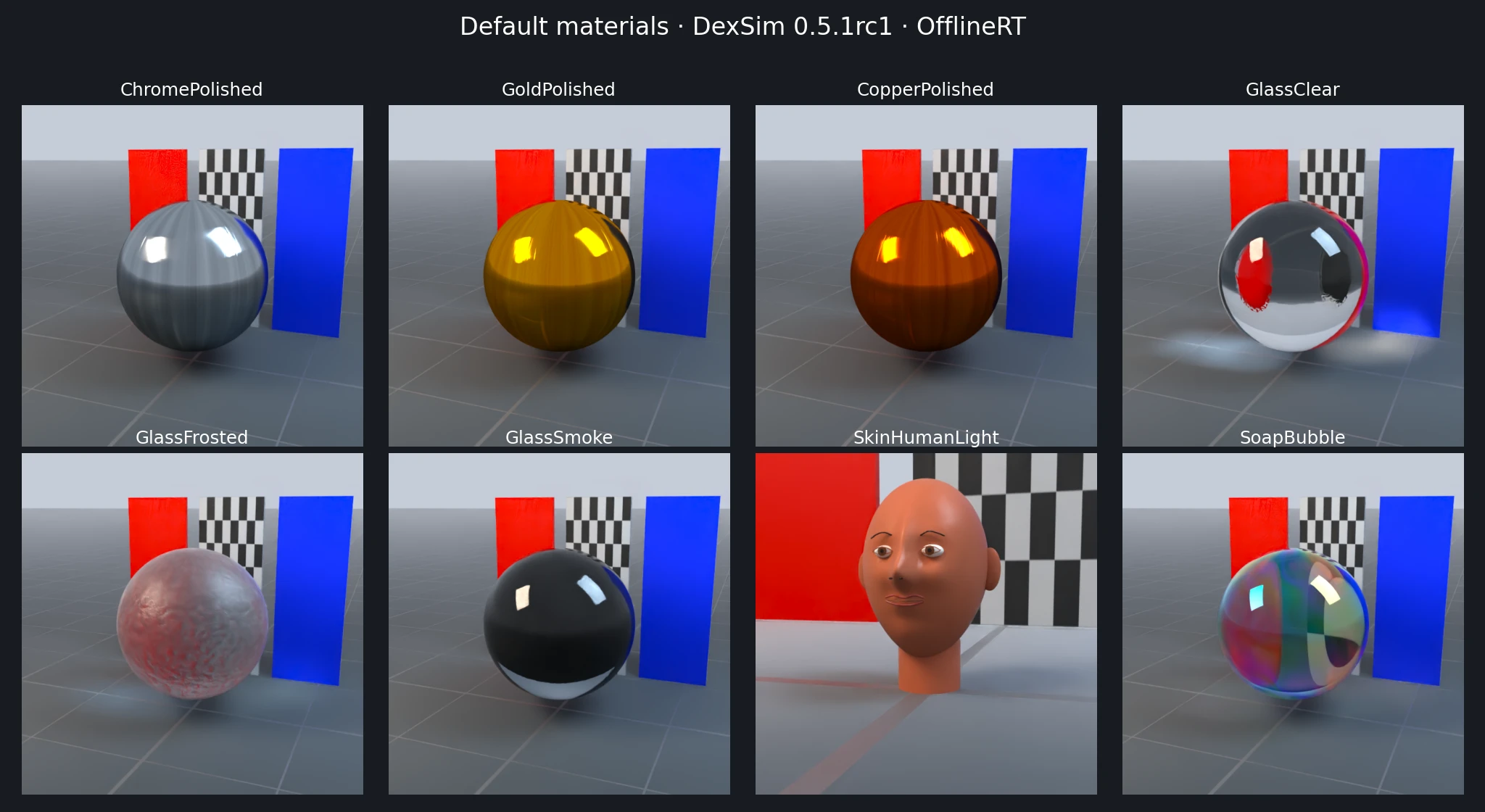
These eight presets require OfflineRT. Incompatible renderers fail before asset download or native material loading. Advanced parameter variations of basic presets also require OfflineRT.
Preset |
Appearance |
Important authored parameters |
|---|---|---|
Highly reflective polished chrome |
metallic 1; anisotropy 0.16 |
|
Polished gold |
metallic 1; anisotropy 0.10 |
|
Polished copper |
metallic 1; anisotropy 0.12 |
|
Clear solid glass with weak volume absorption |
IOR 1.52; transmission 1; attenuation distance 15 |
|
Rough transmitting frosted glass |
IOR 1.50; transmission 0.94; attenuation distance 2.5 |
|
Gray-blue absorbing smoke glass |
IOR 1.52; transmission 0.98; attenuation distance 0.45 |
|
Light human skin with pores and approximate diffuse transmission |
IOR 1.4; specular 0.48; diffuse transmission 0.16 |
|
Soap film with spatially varying iridescence |
IOR 1.33; film thickness 250–520 nm; iridescence factor 1 |
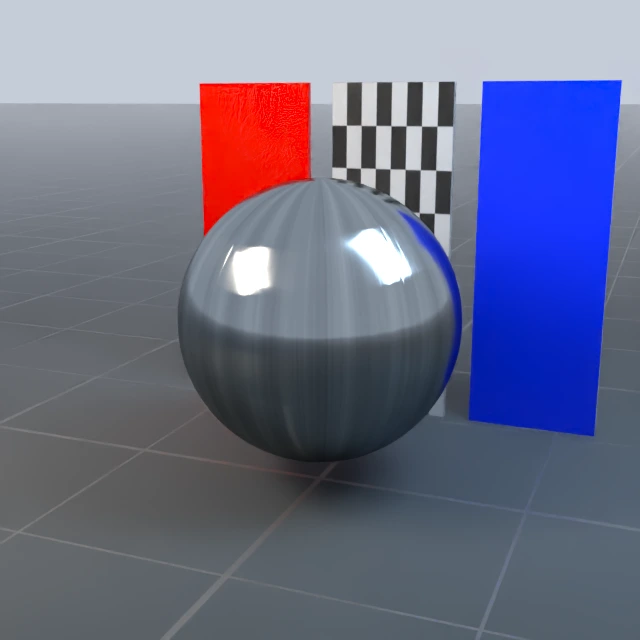

With texture maps, base_color, metallic and roughness are factors. A
roughness factor of 1 preserves the roughness map distribution. Gold and
copper coloration comes from their color textures.
Full advanced parameter definitions#
The following are the resource manifests’ explicit native parameters. Unlisted
fields inherit native defaults. The native emission_intensity key corresponds
with the flat configuration field emissive_intensity.
ChromePolished:
  base_color: [1.0, 1.0, 1.0, 1.0]
  metallic: 1.0
  roughness: 1.0
  specular_strength: 1.0
  anisotropy_strength: 0.16
  anisotropy_rotation: 0.0
  double_sided: false
GoldPolished:
  base_color: [1.0, 1.0, 1.0, 1.0]
  metallic: 1.0
  roughness: 1.0
  specular_strength: 1.0
  anisotropy_strength: 0.1
  anisotropy_rotation: 0.0
  double_sided: false
CopperPolished:
  base_color: [1.0, 1.0, 1.0, 1.0]
  metallic: 1.0
  roughness: 1.0
  specular_strength: 1.0
  anisotropy_strength: 0.12
  anisotropy_rotation: 0.0
  double_sided: false
GlassClear:
  base_color: [1.0, 1.0, 1.0, 1.0]
  metallic: 0.0
  roughness: 1.0
  ior: 1.52
  transmission: 1.0
  specular_strength: 1.0
  volume_thickness: 1.0
  volume_attenuation_color: [0.995, 0.998, 1.0]
  volume_attenuation_distance: 15.0
  thin_walled: false
  double_sided: false
GlassFrosted:
  base_color: [1.0, 1.0, 1.0, 1.0]
  metallic: 0.0
  roughness: 1.0
  ior: 1.5
  transmission: 0.94
  specular_strength: 1.0
  volume_thickness: 1.0
  volume_attenuation_color: [0.86, 0.94, 0.97]
  volume_attenuation_distance: 2.5
  thin_walled: false
  double_sided: false
GlassSmoke:
  base_color: [1.0, 1.0, 1.0, 1.0]
  metallic: 0.0
  roughness: 1.0
  ior: 1.52
  transmission: 0.98
  specular_strength: 1.0
  volume_thickness: 1.0
  volume_attenuation_color: [0.44, 0.53, 0.64]
  volume_attenuation_distance: 0.45
  thin_walled: false
  double_sided: false
SkinHumanLight:
  base_color: [1.0, 1.0, 1.0, 1.0]
  metallic: 0.0
  roughness: 1.0
  ior: 1.4
  specular_color: [1.0, 0.96, 0.92]
  specular_strength: 0.48
  sheen_color: [0.14, 0.035, 0.022]
  sheen_roughness: 0.58
  clearcoat: 0.1
  clearcoat_roughness: 0.3
  diffuse_transmission_color: [1.0, 0.24, 0.14]
  diffuse_transmission_strength: 0.16
  double_sided: false
SoapBubble:
  base_color: [1.0, 1.0, 1.0, 1.0]
  metallic: 0.0
  roughness: 0.075
  ior: 1.33
  transmission: 1.0
  specular_strength: 1.0
  emissive: [1.0, 1.0, 1.0]
  emission_intensity: 0.32
  volume_thickness: 1.0
  volume_attenuation_color: [0.9, 0.85, 0.84]
  volume_attenuation_distance: 3.0
  iridescence_factor: 1.0
  iridescence_ior: 1.75
  iridescence_reflection_boost: 2.6
  iridescence_min_reflection: 0.045
  iridescence_thickness: [250.0, 520.0]
  thin_walled: false
  double_sided: false
Bubble and skin geometry#
SoapBubble binds color, AO, metallic, iridescence-thickness and emissive maps.
The explicit auxiliary SoapBubbleInterior reuses the outer resource’s color,
AO, metallic and normal maps. It has roughness 0.035, transmission 1, IOR 1.33,
zero emission and zero iridescence factor. Its attenuation color is
[0.90, 0.85, 0.84], attenuation distance is 3, and volume thickness is 1.
Both interfaces use thin_walled=false and double_sided=false. The preview
creates a smaller inward-facing inner shell; the factory only creates materials.
SkinHumanLight approximates skin using texture detail, specular reflection,
sheen, clearcoat and diffuse transmission. It does not implement random-walk
subsurface scattering. The portrait preview uses an optional caller-provided
segmented SkinFaceDemo GLB; that mesh is not included in the material archive.
Without --model, the preview renders the same skin material on a sphere.
Query, cache and reproduce#
from embodichain.data import list_default_materials, get_default_material_info

names = list_default_materials()  # 24 public presets, no World or download
info = get_default_material_info("PlasticMatteBlue")
assert info["source"] == "builtin"
assert info["requires_download"] is False
print(info["parameters"])
SoapBubbleInterior is available by name but omitted from the public list.
Built-ins have no texture resolution or nominal texture size. Resource metadata
contains dimensions, compatible renderers, dependencies and the pinned resource
revision. Both sources share the same runtime/Spawn resolver and UID rules.
NoRender retains declarations without downloading or loading native materials.
# Offline catalog query.
embodichain preview-material --list

# Only the six built-in parameter materials.
embodichain preview-material \
  --all --headless --source builtin --renderer rt --compare-native --size 640 --frames 6 --spp 12 --gallery

# All 24 presets; add --model /path/to/skin_face.glb for the portrait sample.
embodichain preview-material \
  --all --headless --renderer rt --compare-native --size 640 --frames 6 --spp 12 --gallery

# Pre-download the 18 resource presets and the bubble helper.
embodichain data download --name DefaultMaterials
Use embodichain preview-material --material GlassClear for a native window,
or add --headless to export and exit. See the
preview-material guide for parameter overrides,
compatible batch selection and output metadata. The existing example delegates
to the same implementation and retains its headless default.
The native-comparison preview saves lossless *_preset.png, *_native.png and
*_native_repeat.png images plus results.json. Direct-native comparisons use
the original resource directory or the built-in native parameter definition,
with the same geometry, camera, exposure and lights. Material parameter readback
and center-crop image differences are checked against a native-repeat control.
The documentation images are compressed WebP exports of the preset captures.
The resource archive is currently hosted on the DexSim internal resource server.
To use a mirror, set EMBODICHAIN_DOWNLOAD_PREFIX before importing EmbodiChain
and provide the identical archive at
materials/default-materials/ec9f748242c50b85/offlinert_materials.zip beneath
your prefix. Built-in parameter definitions remain available in the wheel.
The resource revision, file digests and upstream attribution are recorded in
embodichain/data/default_materials.json.