ARX5 X5A#
embodichain_robots.ARX5Cfg configures the bundled ARX5/X5A.urdf asset.
Its implementation lives in extensions/embodichain_robots/arx/arx5/cfg.py, and the
bundled robot catalog registers it as ARX5. The package exports the class
lazily; listing the catalog does not load the asset or simulation runtime.
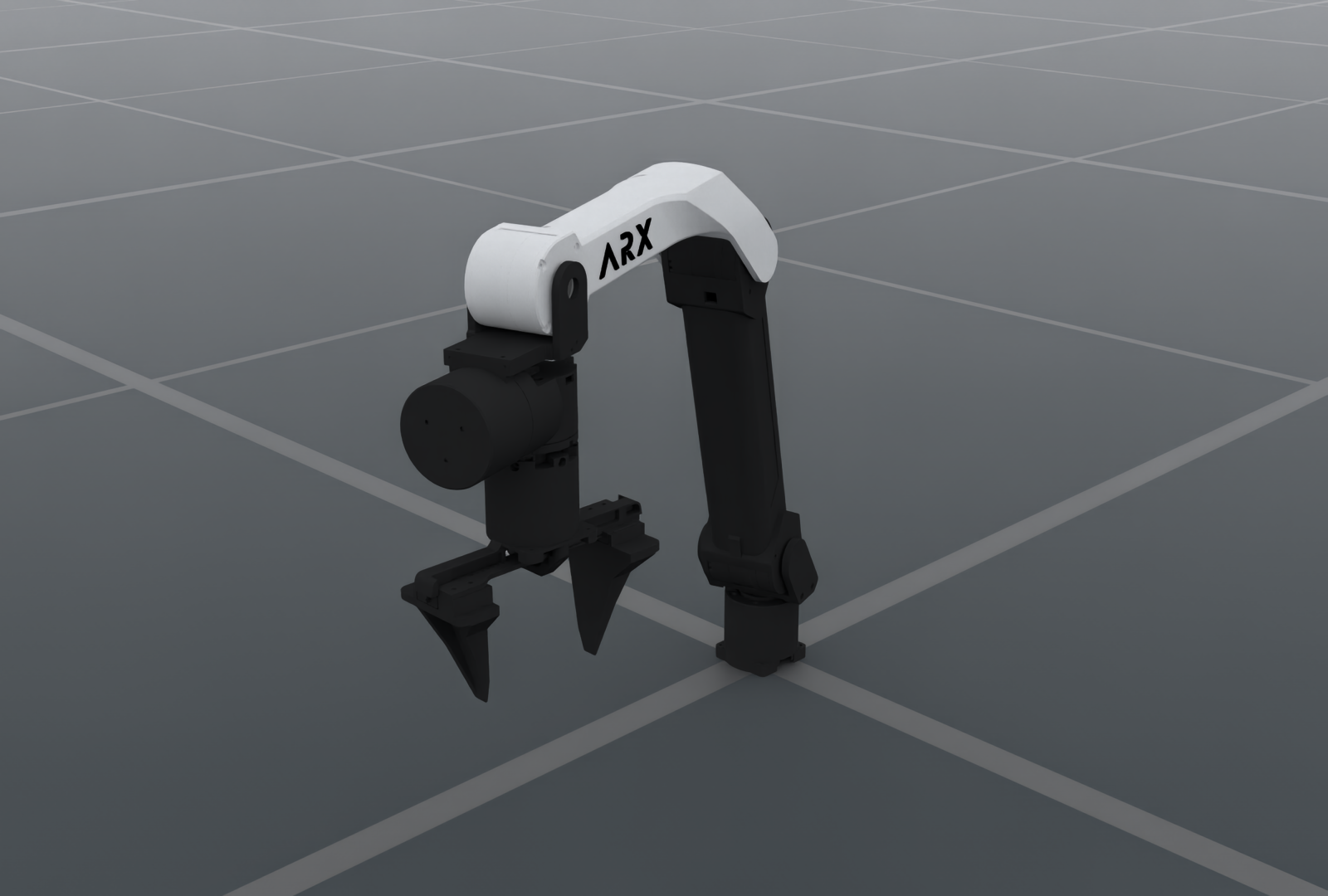
ARX5 X5A with native parallel-jaw gripper
The standalone image uses the registered ARX5 preset and its adjusted default
ready pose. Its OfflineRT, denoising, exposure and default environment lighting
match the existing UR and W1 robot illustrations. Source meshes, joint positions
and the original gripper are used.
Image rendering settings
1600 × 1080; 1 sample per pixel; DLSS offscreen reconstruction (quality 2); tone mapping off; exposure 1.0; default environment emission intensity 80; 48 warmup frames. There are no additional direct lights. Zero-diffuse black materials use the existing W1 V030 black display color (sRGB 46/255) and roughness (0.408248) to retain readable shading. These material overrides apply only to this illustration. Exact camera, lighting, material values and their reference manifests are recorded in the render manifest.
Control and kinematics#
It exposes six revolute joints (joint1–joint6) as arm and the two
independent prismatic fingers (joint7, joint8) as eef. The fingers
have no mimic relation; increasing their coordinates opens them.
Control part |
Source joints |
Coordinates |
Default command |
|---|---|---|---|
|
|
radians |
Outward-elbow ready pose |
|
|
metres |
|
There are eight independent controlled joints. init_qpos follows source
order: the six arm joints, then the two fingers.
from embodichain_robots import ARX5Cfg

cfg = ARX5Cfg.from_dict({})
robot = sim.add_robot(cfg=cfg)
The numerical Pytorch solver uses the base_link → ee_link serial chain.
Its separate tool transform aligns TCP X with jaw opening and TCP Z with
approach. build_pk_serial_chain() returns the flange chain; compose its FK
with solver_cfg["arm"].tcp to obtain tool poses. Both simulation and kinematics
resolve the same source asset. Configuration dictionaries round-trip through
from_dict() and to_dict().
from embodichain.robot_registry import resolve_robot_cfg

cfg = resolve_robot_cfg("ARX5")
restored = ARX5Cfg.from_dict(cfg.to_dict())
chains = restored.build_pk_serial_chain()
assert len(chains["arm"].get_joint_parameter_names()) == 6
An explicit fpath selects a local URDF for both simulation and kinematics.
Solver root/end-frame and TCP overrides follow the standard RobotCfg
configuration interface.
Ready pose and physical defaults#
The default fixed-base configuration enables self-collision and uses an outward elbow with an unflipped wrist:
arm: [-2.84, 1.825, 1.743, -1.489, 0.0, -1.266] rad
eef: [0.044, 0.044] m
The fixed base, ready pose, drive gains, velocity caps and tool frame are simulation defaults, not manufacturer-verified hardware parameters. Source arm limits are preserved; task-specific workspace and IK branch restrictions belong to the caller’s scene configuration.
Preview and Atomic Skills tutorial#
Select the exact catalog ID with --robot ARX5:
embodichain preview-robot --robot ARX5
embodichain preview-robot --robot ARX5 --headless --renderer no-render --device cpu --physics default --max-steps 100
The Atomic Skills tutorial uses this preset directly. Its fixture inherits the adjusted ready pose and self-collision setting, adds a 50 mm table and scene-specific IK branch limits, and executes the same PickUp → Place invocation code used for UR5 and Franka:
python scripts/tutorials/atomic_action/embodiment_switching.py --task pick_place --robot arx5
The tutorial selector is lowercase arx5; the robot catalog ID is ARX5.
Its scene calibration lives in examples/sim/atomic_action/embodiments.py.